
Measure Facebook and Instagram ad sales with Meta Pixel
Send your shop's visits and sales to Meta, so your Facebook and Instagram ads can count them. Paste your Pixel ID and turn it on.
In the admin: AppsMeta Pixel
On this page
The Meta Pixel app sends your shop's visits and sales to Meta. Your Facebook and Instagram ads can then count the sales they bring and reach people who looked at your products.
Set it up
Meta Pixel is a free app.
- Go to Apps > All apps, open Meta Pixel and click Install.
- In Meta Events Manager, open Data sources, your Pixel, Settings, and copy the Pixel ID. It is a number of 10 to 20 digits.
- In your shop, open Apps > Meta Pixel, turn on Send visits and sales to Meta, paste the ID in Pixel ID and click Save.
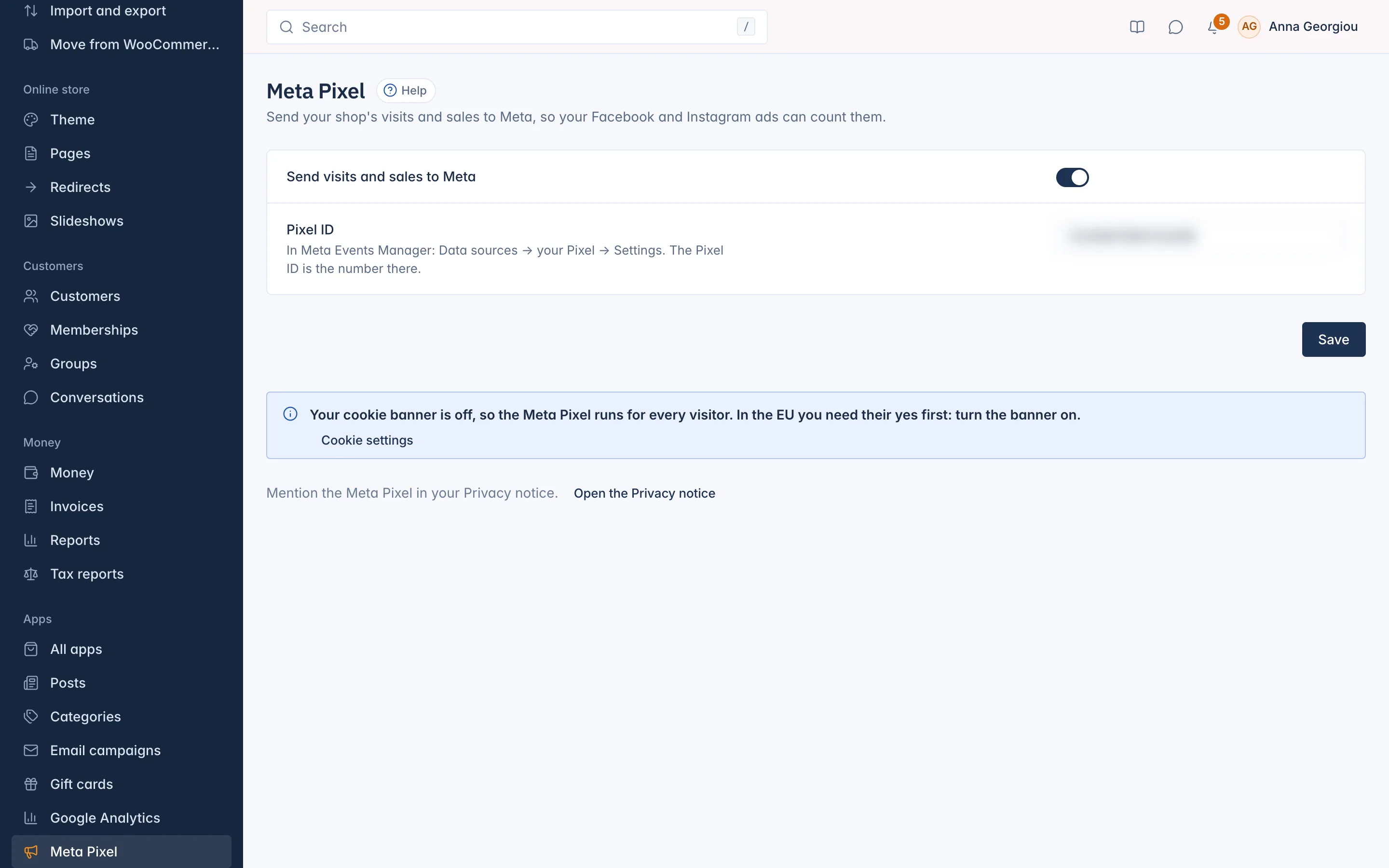
Use one Pixel for each shop. Meta counts a purchase once per order number, and order numbers belong to each shop, so two shops on one Pixel would lose sales as duplicates.
What it sends
Page views and Meta's standard events: ViewContent (a product page), Search, AddToCart, InitiateCheckout (a Checkout click) and Purchase. A purchase counts the goods after discounts, without tax and delivery, the same figure Google Analytics shows.
Nothing is sent from the checkout, pay, saved cards or order acceptance pages, or from pages opened by a private link (a guest's order link from an e-mail, a password reset). Visits by your staff are not counted.
Meta's automatic advanced matching is your setting in Events Manager (your Pixel, Settings). When it is on, the Pixel reads what shoppers type into forms (such as an e-mail address) and sends it to Meta in a scrambled form; say so in your Privacy notice, or turn it off.
Cookies and consent
Turn the cookie banner on in Settings > Privacy and cookies. The Pixel then waits for each shopper's yes to Marketing cookies, and the banner lists its cookies by itself. With the banner off it runs for every visitor; in the EU you need their yes first.
Mention the Meta Pixel in your Privacy notice.
Related
Updated 28 November 2026