
Import file columns explained
Every column of the IXXO Cart import templates for products, prices and stock, and categories, with what to write in it and an example.
In the admin: CatalogImport and export
On this page
This article lists the columns of our import templates, so you can prepare a file that matches at once. You do not have to use these names: in the Match columns step you can tell the shop what any column holds. But a file with our names is matched by itself, and is the easiest way to be sure every value lands in the right place.
Get the template
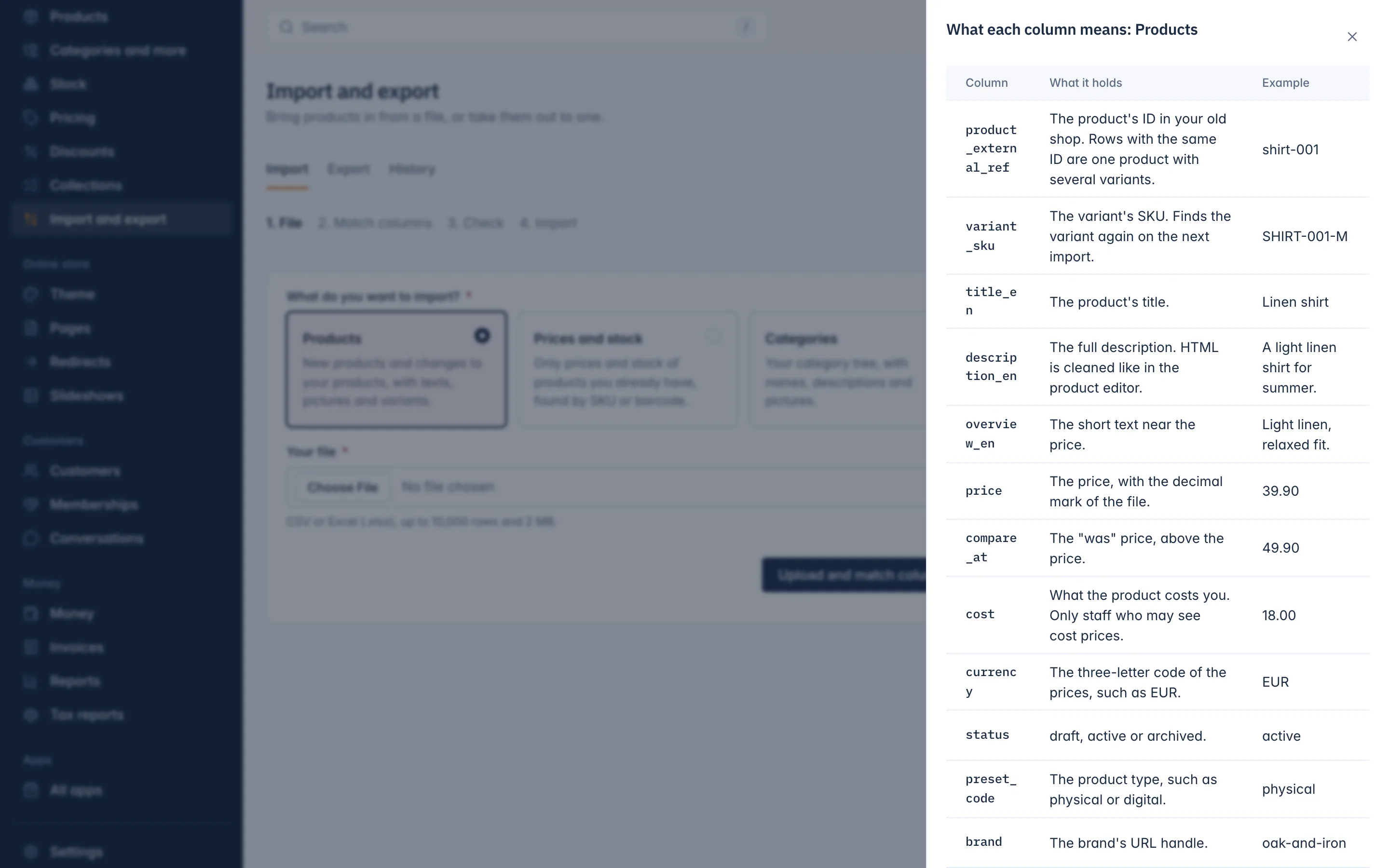
Open Catalog > Import and export. Under Start from our template, download the template of the kind you want, as Excel or CSV. It holds our column names and one example row. Click What each column means to see the same list as below, with an example of each column.
A few rules hold for every file:
- Columns ending in a language code, such as
title_enordescription_el, hold the text in that language. The template uses your main language; add a column such astitle_elfor each other language of your shop. - Where a cell holds several values, separate them with the bar
|, as inlinen|summerorClothing > Shirts|Summer. - Write numbers with the decimal mark you choose in File settings (a point by default).
- Write yes or no columns as
yesorno. - An empty cell leaves the value as it is. It never clears a value.
Products columns
| Column | What to write | Example |
|---|---|---|
product_external_ref | The product's ID in your old shop. Rows with the same ID are one product with several variants. | shirt-001 |
variant_sku | The variant's SKU. It finds the variant again on the next import. | SHIRT-001-M |
title_en | The product's title. | Linen shirt |
description_en | The full description. HTML is cleaned as in the product editor. | A light linen shirt for summer. |
overview_en | The short text near the price. | Light linen, relaxed fit. |
price | The price. | 39.90 |
compare_at | The "was" price, above the price. | 49.90 |
cost | What the product costs you. Only in the template of staff who may see cost prices. | 18.00 |
currency | The three-letter code of the prices. Empty means your main currency. | EUR |
status | draft, active or archived. Only in the template of staff who may publish. | active |
preset_code | The product type, such as physical or digital. A new product needs one. | physical |
brand | The brand's URL handle. | oak-and-iron |
category_names | Category paths by name, levels with >. Separate several paths with the bar. | Clothing > Shirts |
tags | Tags, separated by the bar. | linen |
weight_grams | The weight in grams. | 250 |
on_hand | How many are in stock. | 12 |
track_inventory | yes or no. No means stock is not counted and the product never sells out. | yes |
allow_backorder | yes or no. Yes means it still sells when none is left. | no |
barcode | The barcode (EAN, UPC): 8, 12, 13 or 14 digits with a correct check digit. | 5901234123457 |
images | Picture links, separated by the bar. The first is the main picture. | https://example.com/shirt-front.jpg |
image_alt_en | The text that describes the main picture. | Linen shirt, front |
variant_image | One picture link for this variant. | https://example.com/shirt-m.jpg |
meta_title_en | The title search engines show. | Linen shirt for summer |
meta_description_en | The text search engines show. | A light linen shirt with a relaxed fit. |
option:Size | A variant option. Name the column option: and the option's name. | M |
Attributes without own stock
Attributes are choices a customer makes that do not have their own stock, such as gift wrap. A product can have up to 5, numbered 1 to 5:
| Column | What to write | Example |
|---|---|---|
attribute_1_name | The attribute's name. | Gift wrap |
attribute_1_type | select, radio, checkbox, text, textarea, number, date or file. Empty means a select when there are choices, a text when there are none. | select |
attribute_1_choices | The choices, separated by the bar, each with an optional price change in brackets. | Yes (+2.50) |
For example No|Yes (+2.50), or Small|Medium (+2.00)|Large (+10%). A price change can be an amount or a percent.
Product families
A product family shows separate products together on the product page, with a switcher (for example one shirt per colour).
| Column | What to write | Example |
|---|---|---|
family_ref | Products with the same value here are one family. | linen-shirts |
family_value | The product's value in the switcher. | Blue |
family_color | Optional: the value's colour as #rrggbb. The switcher then shows a colour swatch. | #1e90ff |
family_value_2 | Optional: a second value, for a family whose products differ in two ways. | 256 GB |
family_level_2 | Optional: the name shown above the second values. Empty means Version. | Capacity |
Products with variants
Write one row per variant. Give every row of one product the same product_external_ref, its own variant_sku, and its option values in the option: columns (such as option:Size and option:Colour). The texts, categories and pictures of the product come from its first row.
If your file has no such ID column but another column that rows of one product share, choose that column under Rows that share this column are one product in File settings.
What a new product needs
A row that makes a new product needs a title and a product type. New products are drafts unless status says active. To find a row's product, the file needs one of these columns: the SKU, the title, the old shop ID, or the column you find products by (such as the barcode or URL handle).
Prices and stock columns
| Column | What to write | Example |
|---|---|---|
variant_sku | The SKU of the variant to change. | SHIRT-001-M |
barcode | The barcode, when you find variants by barcode. | 5901234123457 |
price | The new price. | 39.90 |
compare_at | The new "was" price. | 49.90 |
currency | The three-letter code of the prices. Empty means your main currency. | EUR |
on_hand | The new stock count. | 12 |
location | The stock location of the on_hand count. Empty means your default location. | |
track_inventory | yes or no. | yes |
allow_backorder | yes or no. | no |
How to use this file is in Update prices and stock from a file.
Categories columns
| Column | What to write | Example |
|---|---|---|
path | Required. The category's name path from the top, levels with >. | Clothing > Shirts |
slug | The URL handle of the last level. Empty means it is made from the name. | shirts |
title_en | The category's name. | Shirts |
description_en | The category's description. | Shirts for every day. |
meta_title_en | The title search engines show. | Shirts |
meta_description_en | The text search engines show. | Shirts for every day and every season. |
image | A picture link. | https://example.com/shirts.jpg |
A categories file is found by Path or URL handle. Every level of the path needs a name: Clothing > > Shirts is refused.
Pictures
Picture links in any file must be full public addresses starting with https://, at most 2,000 characters long, leading to a JPEG, PNG, WebP or GIF picture. The pictures download after the import. A link that does not work is reported on the import page and on the History tab.
Related
Updated 13 November 2026