
How stock works
On hand, reserved and available stock, stock locations, what changes stock by itself, and how orders hold units so the last one is never sold twice.
On this page
IXXO Cart counts your stock so customers can only buy what you have. This article explains the numbers you see on the Stock screen, where stock is kept, and what changes it without you doing anything. Read it once before you start counting stock, and come back when a number looks wrong.
Stock is counted per variant
Stock belongs to a variant, not to the whole product. A ring sold in three sizes has three stock counts, one per size. A product without sizes or colours has one variant, so it has one count.
Each variant can be counted or not:
- Track stock on: the shop counts units. When none are left, the product sells out (unless you allow backorders).
- Track stock off: nothing is counted and the product never sells out. Use this for made-to-order items, services and digital goods with no limit.
You set this on the product's Stock and shipping tab, or for many products at once on the Stock screen. See Change stock levels.
On hand, reserved and available
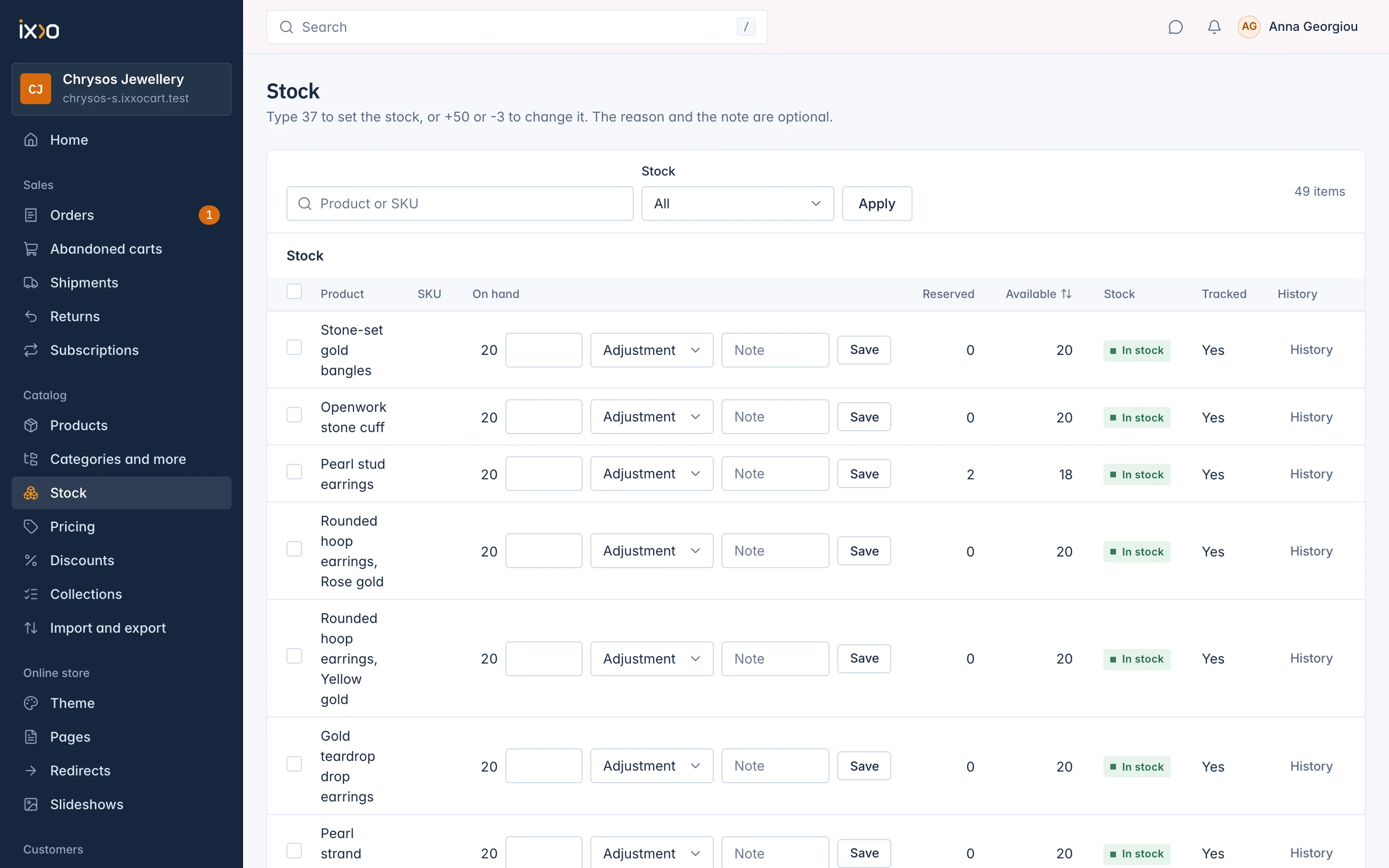
The Stock screen shows three numbers for every variant:
| Column | What it means |
|---|---|
| On hand | The units you have, as you last counted them, minus what has been sold since. |
| Reserved | Units held for orders that are placed but not paid yet. On the product page this column is called Held for orders. |
| Available | On hand minus reserved. This is what customers can still buy. |
So with 20 on hand and 2 reserved, customers can buy 18. The Stock column then shows a state: In stock, Low, Out of stock, Out, sells on backorder or Not counted. How these states are worked out is in Low stock, out of stock and backorders.
How orders hold stock
When a customer places an order, the units in it are held for that order at once. This is what stops two customers from buying the last unit: the second order is refused because nothing is available any more.
- Adding a product to the cart does not hold anything. The stock is checked again when the order is placed, and a customer who was too late is told the item is no longer available.
- A held unit shows under Reserved until the order is paid. Then it leaves your stock for good, and the history shows the line Order placed.
- An order that waits for payment, such as a bank transfer, keeps its units held while it waits. If it is cancelled, or its time to pay runs out, the units become available again.
What changes stock by itself
Most changes come from your own work on the Stock screen, but some happen on their own. Each one is written in the variant's history with its reason:
| History line | When it happens |
|---|---|
| Order placed | An order with this variant was paid. |
| Returned | Returned goods were refunded, so the units go back on the shelf. |
| Adjustment | Lines of a paid order were cancelled, so their units go back. Also your own changes with this reason. |
| Import | A product or prices and stock file set the number. |
| Brought from the old shop | Stock that came with a shop move. |
Units go back to the location they were taken from. If they cannot go back (for example the variant was deleted since), the order's timeline says so, so you can count by hand.
Stock locations
A stock location is a place where you keep goods: a shop, a warehouse, a stockroom. Every shop starts with one location, made for you when the shop is created. All your stock is kept there unless you have more.
With more than one location:
- Each variant has its own count at each location. The product's Stock and shipping tab shows one row per location.
- The Stock screen adds up every location. A Location filter appears, so you can see and set the stock of one place.
- Your storefront counts the stock of all your active locations to show whether a product is in stock.
- Each order line is sent from one location, normally your default one, and its units are held and taken there. Keep the stock you sell online at that location.
- A location that is switched off is not sold from. The default location must stay switched on.
How many locations you may have depends on your plan. There is no admin screen yet to add, rename or switch off locations: today this is done through the REST API (see Developers). A location can also be offered as a pickup point, where customers collect their orders: switch that on under Settings > Shipping and delivery > Pickup points (see Orders and delivery).
Stock settings
Settings > Stock has two settings.
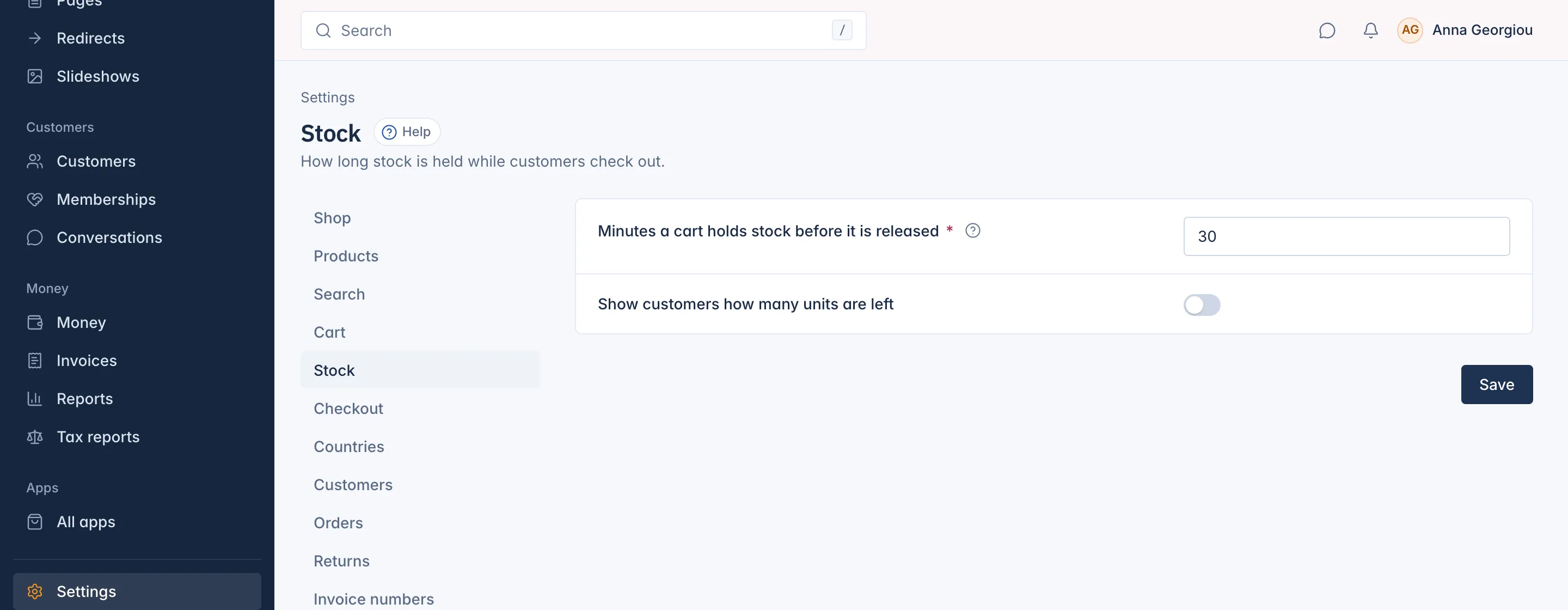
- Show customers how many units are left: off by default, so the product page only says whether an item is in stock. Switch it on to let your theme show the number left, such as "only 3 left".
- Minutes a cart holds stock before it is released: 30 by default, from 1 to 1440. This time applies to holds that are made without a time of their own, such as holds made through the REST API. The holds of placed orders follow the payment method's time to pay instead, as described above.
Related
Updated 13 November 2026