
Use the VAT summary for your VAT return
Add up the VAT of your invoices and credit notes for a month, quarter or year, per country, rate and scheme, for your VAT and OSS returns.
In the admin: MoneyTax reportsVAT summary
The VAT summary adds up the VAT on everything you invoiced in a period, minus what you credited, and sorts it the way VAT returns ask for it: by country, rate and scheme. Give it to your accountant, or use it to fill in your VAT return and your OSS return.
It is read only and comes straight from your issued invoices and credit notes. Nothing is worked out or rounded again: each line counts with the VAT it was invoiced with.
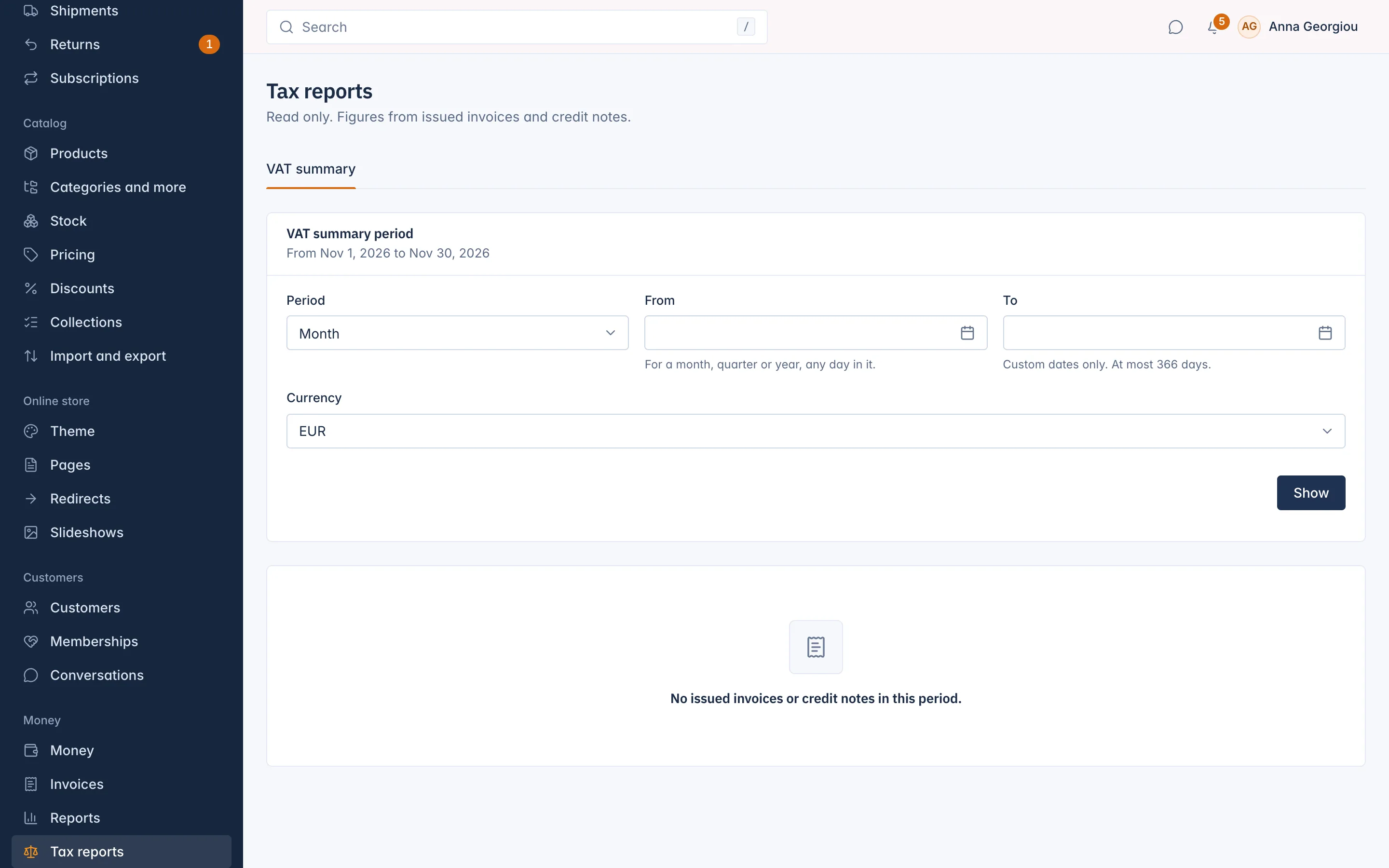
Show a period
- Go to Tax reports in the menu. The VAT summary tab opens.
- Choose the Period: Month, Quarter, Year or Custom dates.
- In From, pick any day in the month, quarter or year you want. For custom dates, also pick To (at most 366 days).
- Choose the Currency if you invoice in more than one.
- Select Show.
What it shows
The figures are split into sections:
| Section | What is in it |
|---|---|
| Domestic sales | Sales charged with VAT of your own country. |
| OSS sales, per member state | Sales to consumers in other EU countries charged with their VAT. Use these for your OSS return. |
| IOSS sales | Imported goods under IOSS. |
| Reverse charge | Sales to EU businesses without VAT. |
| Zero rated and exempt | Lines with 0% VAT or exempt, with the reason. |
| Other schemes | For example UK or US sales. |
Each row has the Country, the Rate, the Scheme or reason, then:
- Invoiced net and Invoiced VAT: from invoices issued in the period;
- Credited net and Credited VAT: from credit notes issued in the period;
- Result net and Result VAT: what is left, which is what you declare.
Each section ends with its totals. The chart VAT per country shows the VAT of domestic, OSS and IOSS sales for each country.
Good to know
- Each document counts in the period it was issued. A refund in February of a January sale lowers February, not January.
- The country is where the sale is taxed, normally the customer's delivery country. A row with the country "Not known" had no country on its invoice: check those invoices.
- Invoices waiting for your details are not counted until they are issued.
- A void invoice counts with its credit note, so the two cancel out.
- There is no export. Copy the figures you need, or export the ledger for your accountant from Money > Ledger.
Who can see it
The VAT summary needs the permissions to view tax, invoices and reports.
Related
Updated 13 November 2026