
Product stock, weight and size
The Stock and shipping tab: track stock, sell when out of stock, the low stock warning, stock per location, and the weight and size used for shipping.
In the admin: CatalogProductsStock and shipping
The Stock and shipping tab holds two things: how many units of the product you have and whether sales stop when they run out, and the weight and size that shipping costs are worked out from. This article covers what you set on one product. How stock is counted across the shop is explained in How stock works.
Stock rules
For a product without combinations, the Stock card starts with three rules:
- Track stock: "Sales stop when none is left, unless backorders are allowed." Untick it for products you never run out of, such as a made-to-order item. The products list then says Not tracked.
- Sell when out of stock: "Customers can still order; you ship when new stock arrives." Shown only while stock is tracked.
- Low stock at: "The product shows as low stock at this number or below." Shown only while stock is tracked.
These three save with the Save button at the top of the page.
A product with combinations does not show them here, because each combination keeps its own rules. Change them per combination on the Catalog > Stock screen. See Low stock, out of stock and backorders.
Stock per location
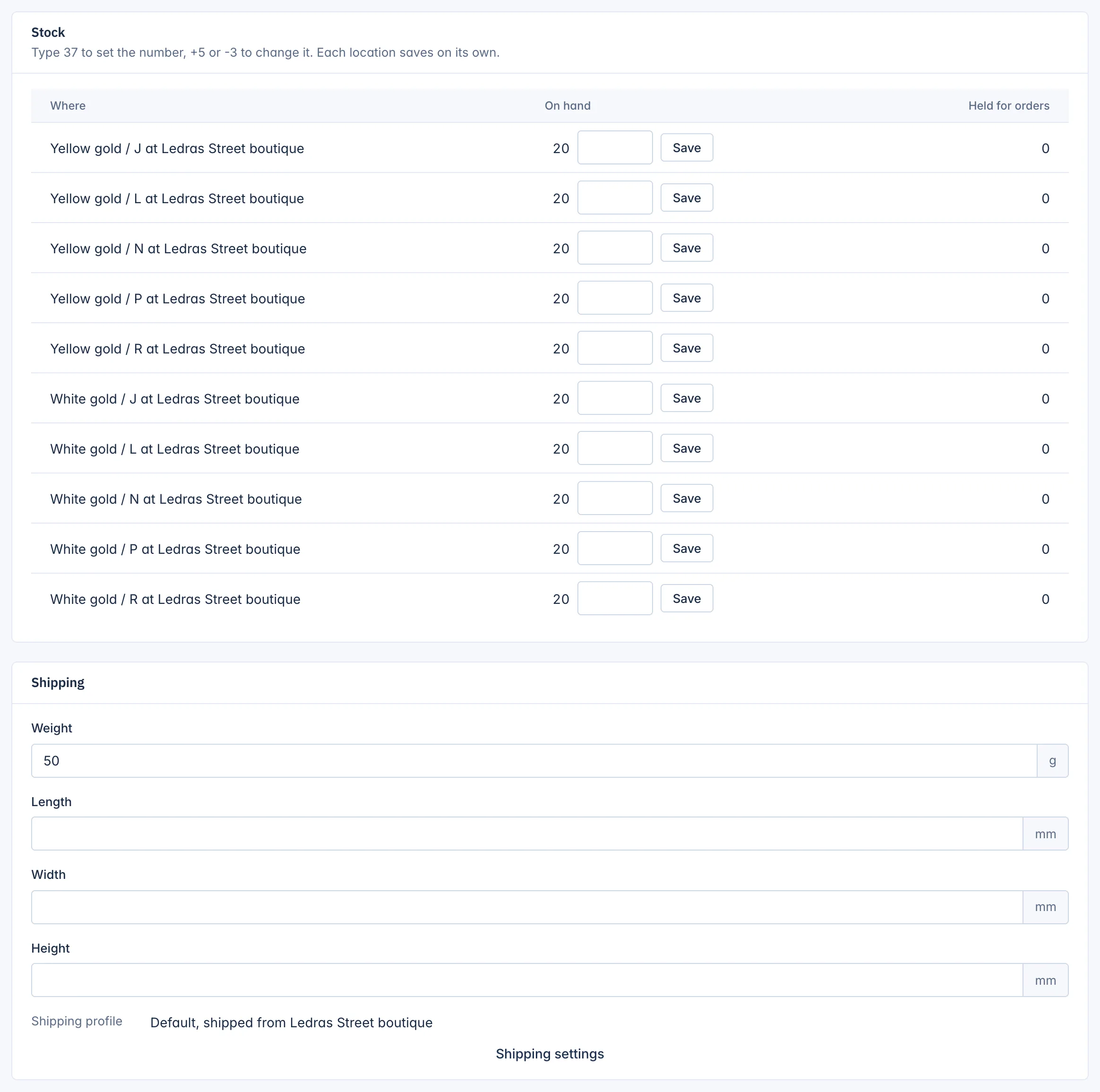
The Stock per location table has one row for each stock location, or for each combination at each location, such as "White gold / N at Ledras Street boutique".
| Column | Meaning |
|---|---|
| Where | The location, and the combination when there is one. |
| On hand | Units you have there. Change it in the field. |
| Held for orders | Units held for orders that are placed but not shipped yet. |
To change On hand, type a number and click the row's Save:
- type 37 to set the count to 37,
- type +5 to add five, for example after a delivery,
- type -3 to take three off, for example for damaged items.
Each row saves on its own, straight away. If the table says "No stock location", add a stock location under Settings first.
Weight and size
The Shipping card holds:
- Weight in grams,
- Length, Width and Height in millimetres.
Shipping rates by weight use the weight. Fill in the weight of the packed product if you can, so the shipping cost at checkout is right. A combination can have its own weight in the Combinations table; when it is empty, the product's weight is used.
The card also shows the Shipping profile that ships this product and the location it ships from, such as "Default, shipped from Ledras Street boutique". Shipping settings opens the shipping setup, where profiles and rates are made. See Settings.
In a marketplace
The marketplace's staff also see Who ships: As the shop sets it for this seller, The seller or The marketplace. When the marketplace ships from its own fulfilment centres, only their stock counts and the seller cannot change it.
Related
Updated 13 November 2026