
Handle returns and withdrawals
How customers ask to send goods back, how you accept or refuse, record what arrived and refund it, and the EU withdrawal rules the shop follows.
In the admin: SalesReturns
On this page
Customers ask to send goods back from their order page. You see each request in Sales > Returns, accept it, record what arrived and refund it in a few clicks. The refund goes through the order, and the goods that came back in good condition go back into stock.
Three kinds of request
| Type | What it is |
|---|---|
| Withdrawal | The customer changes their mind within the returns window. EU consumers have this right by law, without giving a reason. |
| Return | Any other return the customer asks for, for example a wrong size. |
| Warranty claim | The item "does not work as it should". |
What the customer does
- The customer opens the order, in their account or through the link in their order e-mail, and chooses Withdraw from your purchase or Return or warranty claim.
- They choose how many of each item to send back and a Reason: Arrived damaged, Does not work, Wrong item sent, Not as described, Arrived too late, No longer needed or Other reason (with a note).
- They choose How you send it back from the methods you offer, and press Send the request.
Once you accept, they see where to send the goods and can add the carrier and tracking number of their parcel. They can also write messages on the return.
Guests can ask too, through the link in their order e-mail. The customer gets a receipt by e-mail, and your team gets a notice in the admin and at the shop's e-mail address.
The returns list
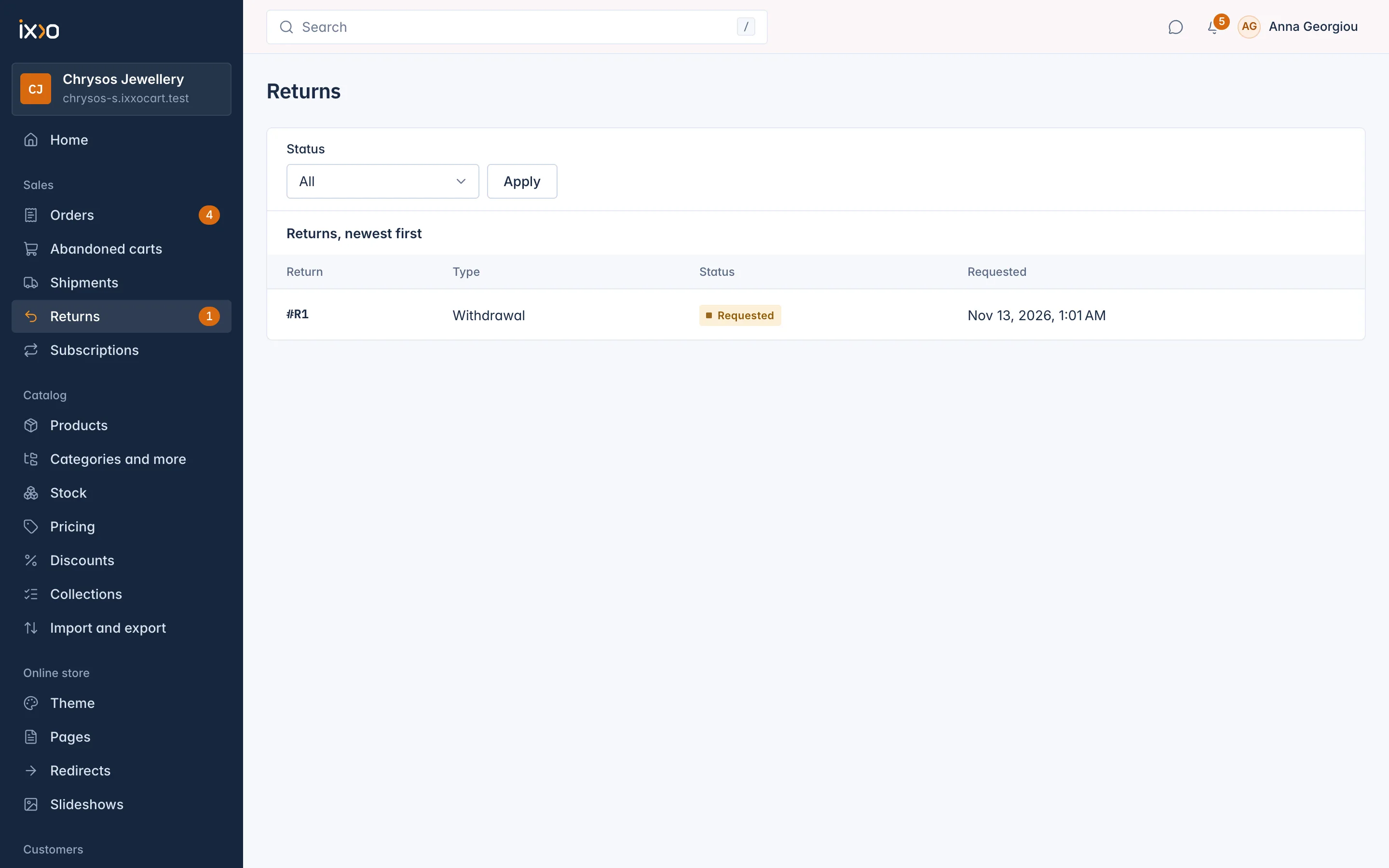
Sales > Returns lists every return, newest first, with its number, Type, status and when it was Requested. Filter by status to see what needs you.
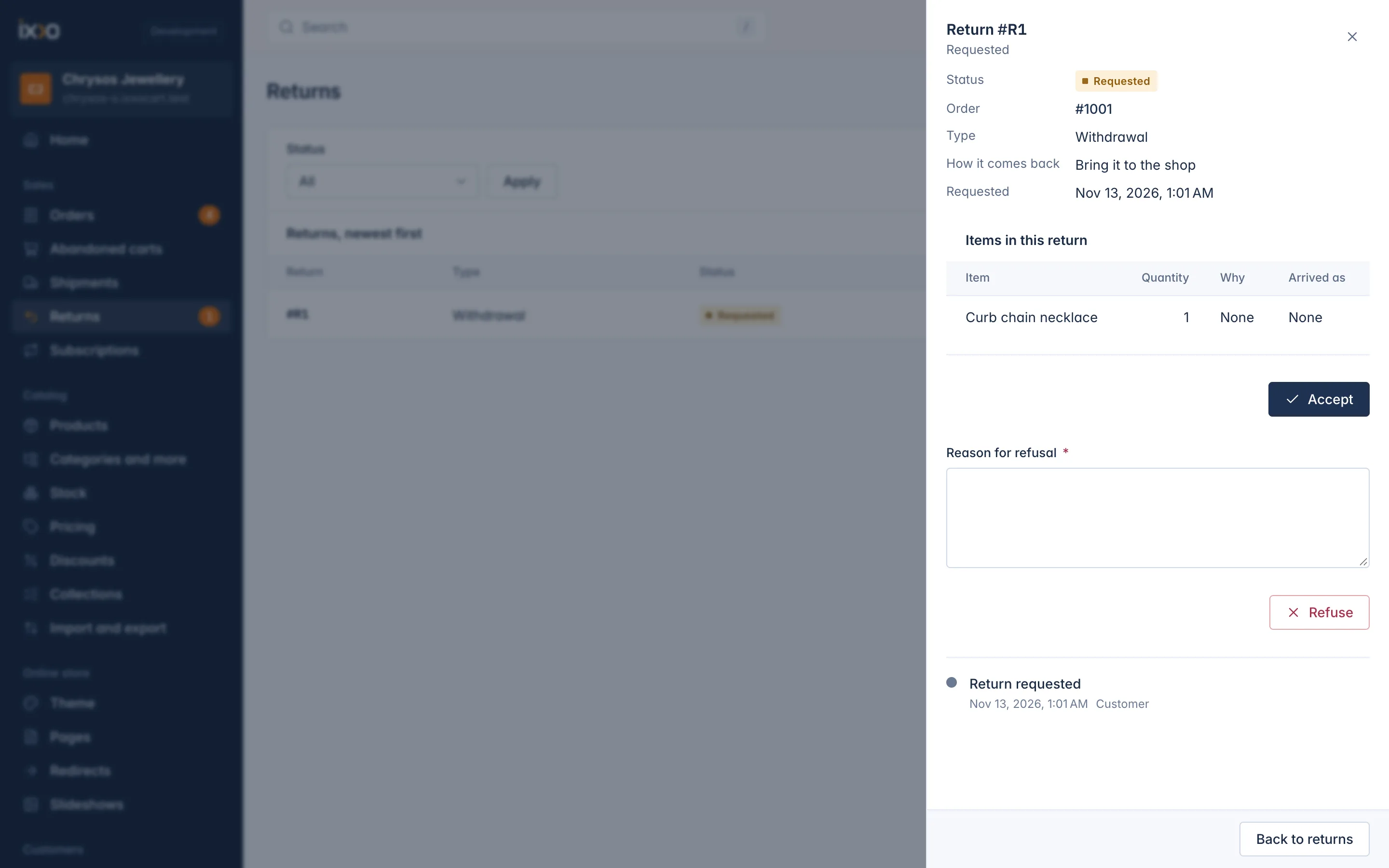
Click a return to open it. The panel, for example Return #R1, shows the Order, the Type, How it comes back, when it was Requested and the Refund, then the items with how many, Why and, once they arrive, Arrived as. The timeline at the bottom lists every step.
Handle a return
Accept the request. You see "Return accepted." The customer gets an e-mail with what to do next.
Or Refuse it with a Reason for refusal, which the customer reads. You see "Return refused."
- When the parcel arrives, press Mark as received. Under What arrived, choose how each item came back: As new, Opened, Damaged or Seal broken.
- Press Refund what arrived and confirm: "The money goes back to the customer through the order's refunds." You see "Refund on its way."
- When the refund completes, the return becomes Refunded. Close it with Close return when nothing is left to do.
Return statuses: Requested, Accepted, Refused, On its way back, Received, Refund on its way, Refunded and Closed.
What is refunded
- Each unit that arrived, at its share of what the customer paid after discounts.
- The original shipping only when everything of the order came back, so nothing of it is left with the customer.
- No restocking fee is taken. The customer pays the postage to send the goods back.
The refund goes back the way the customer paid, like any refund, and the staff refund limit applies. If it fails at the payment provider, the return goes back to Received so you can try again.
Units that arrived As new or Opened go back into stock at the location they were sent from. Damaged units and units with a Seal broken do not.
Withdrawals: the EU rules
The shop follows the EU consumer rules for withdrawals:
- A consumer who withdraws in time cannot be refused: "The customer withdrew in time: this withdrawal cannot be refused." The one exception is sealed goods, such as earrings in hygiene packaging, that come back unsealed after delivery; those units are refused and go back to the customer.
- The window starts at delivery and lasts the days set in Settings > Returns, at least 14.
- Business buyers cannot withdraw unless you allow it in Settings > Returns.
Some orders cannot be withdrawn from at all: personalised or made-to-measure goods, goods for a fixed date, digital content the customer has started, cancelled orders, subscription renewal orders, and orders past the returns window.
Messages on a return
The customer can write to you on the return's page. Their messages reach your team as a notice in the admin and at the shop's e-mail address. Answer by e-mail. Replies shown on the return page itself can be sent through the REST API.
Related
Updated 13 November 2026