
Connect a carrier for live rates and labels
Connect your Shippo account to show live carrier prices at checkout, buy labels and track parcels, and set up its tracking address.
In the admin: SettingsShippingCarrier accounts
On this page
A carrier account lets the shop talk to carriers for you: it shows carrier prices at checkout, buys labels from the order and follows each parcel until it is delivered. The shop connects to carriers through Shippo, a shipping service that works with many carriers. You open a Shippo account, connect the carriers you use there, and paste its API token into the shop.
Labels and carrier prices are billed by Shippo and the carriers to your own account. IXXO Cart charges nothing for them.
Before you start
- Open an account at Shippo and connect the carriers you want to use there.
- Copy an API token from your Shippo account. Shippo gives a test token and a live token. With a test token labels are free samples and nothing ships; use it to try things out.
- Fill in the street of the Ships from address in your shipping profile. See Shipping profiles, boxes and product weights.
Connect the account
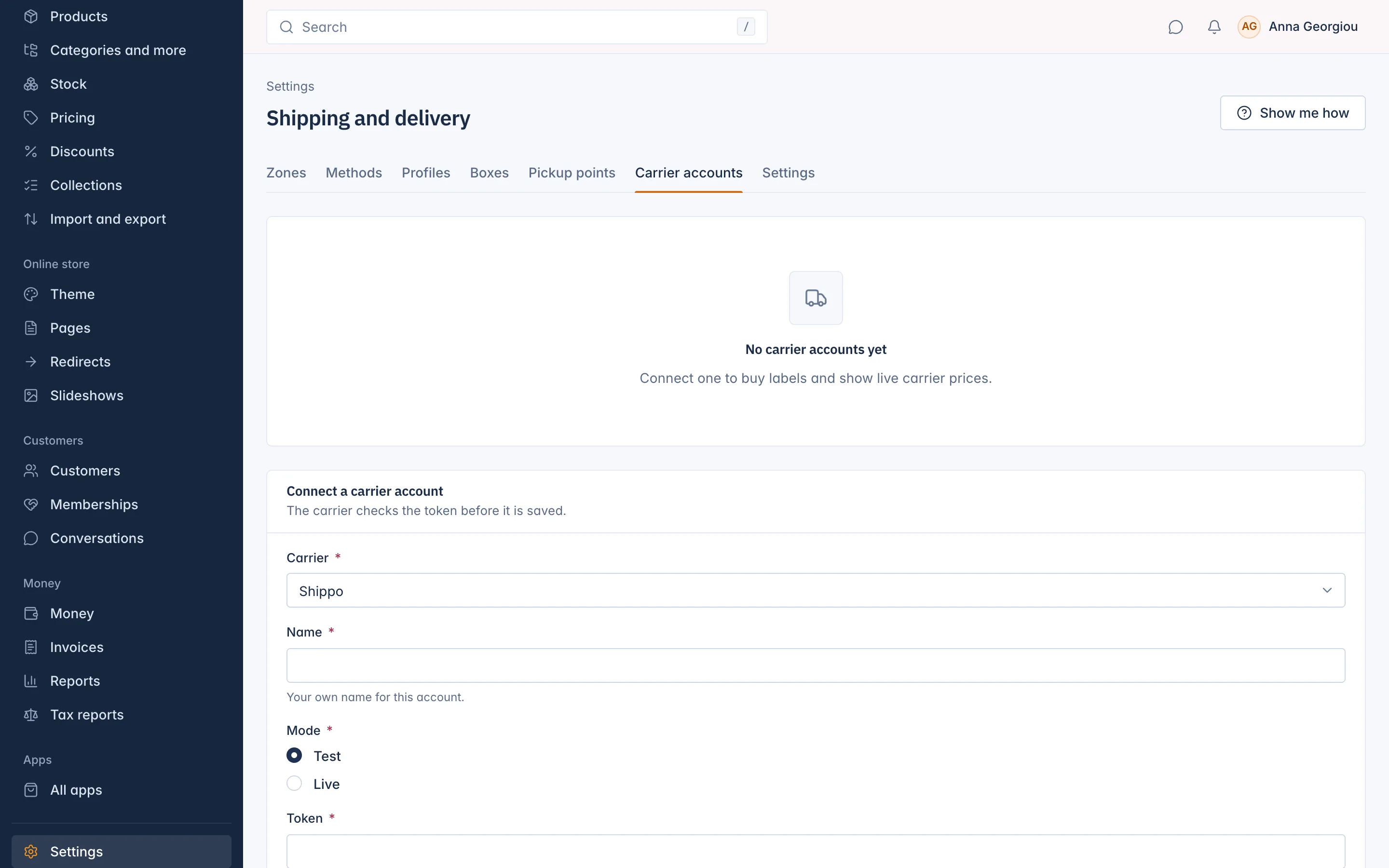
- Go to Settings > Shipping and open the Carrier accounts tab. The shop asks for your password again: "This page changes payments, keys or your team. Type your password to go on."
- Under Connect a carrier account, choose the Carrier: Shippo.
- Type a Name: "Your own name for this account", for example "Shippo live".
- Choose the Mode: Test or Live, matching the token.
- Paste the Token: "The API token from your carrier account. It is never shown again."
- Press Connect. "The carrier checks the token before it is saved." If the token is wrong, the account is not saved.
You see "Carrier account connected." The account is listed with its mode and the state Connected.
Copy the tracking address
Right after connecting, the shop shows Copy the tracking address now: "Paste it into the carrier's tracking settings. It is shown only this once."
- Copy the Tracking address.
- In your Shippo account, add it as a webhook for tracking updates.
With it, the shop hears about every scan of your parcels within minutes. Without it, the shop still checks open shipments every hour, so tracking works, only later.
Change or disable the account
- Change lets you rename the account or paste a New token. "Leave it empty to keep the token you set." You see "Carrier account saved."
- Disable asks "Disable this account?": "No labels or live prices use it any more, and its tracking address stops working."
When you have both a test and a live account, the live one is used.
Use the account
- Live carrier prices at checkout: add a method of the type Live carrier price and choose this Carrier. Add a fallback method for when the carrier does not answer. See Set up shipping zones and rates. Add your boxes too, so prices match your real parcels.
- Labels: press Buy label on a paid order. See Buy shipping labels and track parcels.
Related
Updated 13 November 2026