
Subscriptions and renewals
How subscribe and save works, how renewals are charged, what needs Stripe, managing a subscription for a customer, and the subscription settings.
In the admin: SalesSubscriptions
On this page
With subscriptions, customers buy a product to be delivered again and again, for example a jewellery cleaning kit every 3 months. The shop places a new order on each renewal date and charges it, and you ship it like any other order.
How customers subscribe
A product can offer subscription options next to "buy once": each option has a frequency (every few days, weeks, months or years) and can carry a discount, a free trial and a minimum number of paid renewals. The customer picks one on the product page and checks out as usual. Once the order is paid, the subscription starts.
Customers see and manage their subscriptions in their account, under Subscriptions: they can skip, pause, change the frequency or address, and cancel within your rules.
How renewals are charged
On each renewal date the shop places a renewal order, at the product's price on that day, and charges it. The order shows "as a subscription renewal" in its header and appears in your orders list.
| Payment | How it works | Needs |
|---|---|---|
| Charged automatically | The saved card pays each renewal by itself. | Stripe. It is the only provider that can charge a saved card without the customer. |
| Pay link | The customer gets an e-mail with a link to pay each renewal. | Any online payment method. On by default in the settings. |
PayPal and offline methods cannot charge renewals by themselves, so without Stripe customers pay by link. Free trials also need Stripe, because the card must be saved at the start. Payment providers are covered in the Money and tax section.
When a renewal payment fails
- Charged automatically: the subscription shows Payment overdue and the shop tries the card again after the days set under Payment retries, by default 1, 3 and 7 days. The customer is asked to update their card. If the last try fails too, the subscription is cancelled.
- Pay link: the customer has the days set in Days the customer has to pay a renewal's payment link to pay, by default 7, and gets a reminder. Unpaid by then, the renewal order and the subscription are cancelled.
The subscriptions list
Sales > Subscriptions lists every subscription.
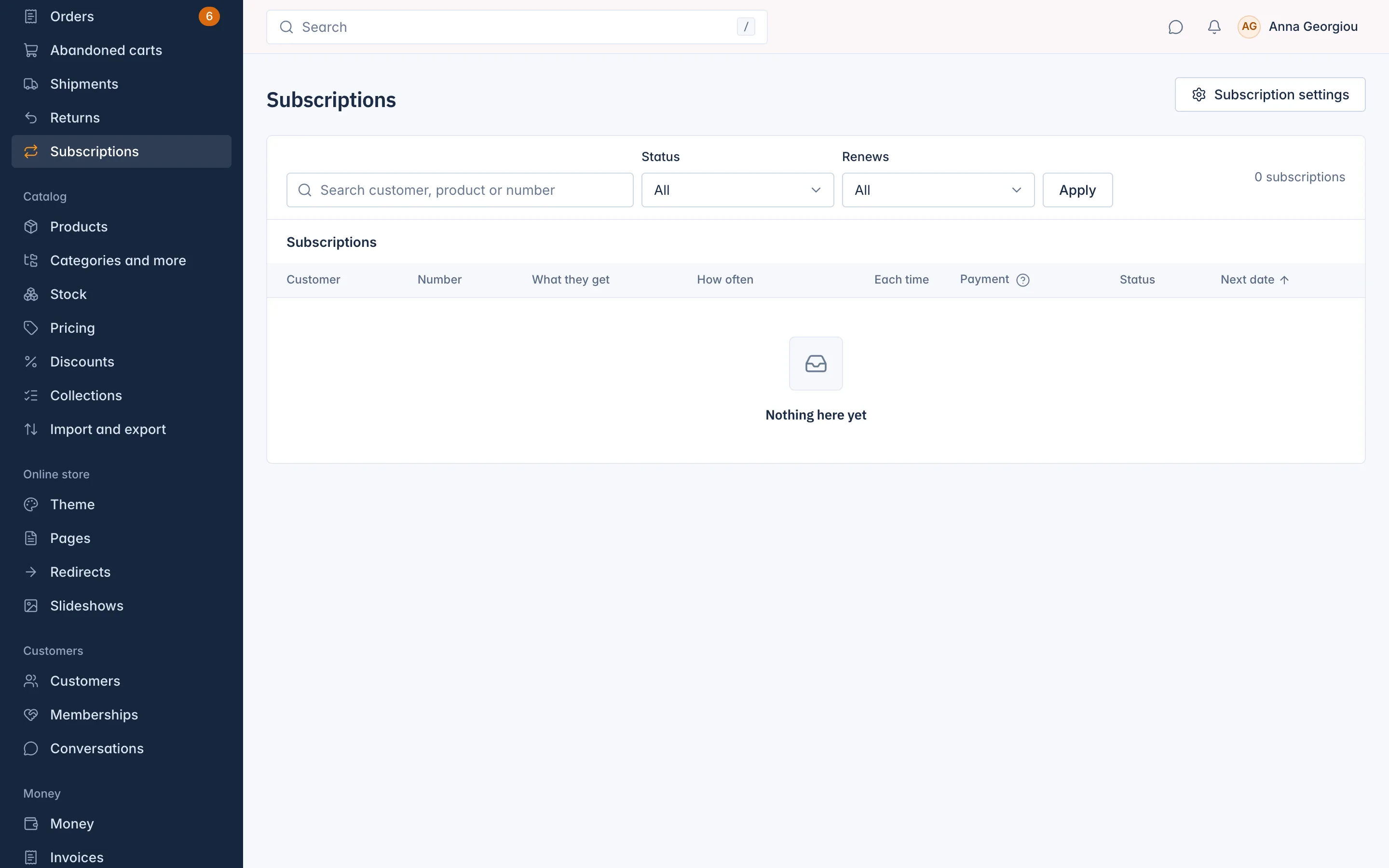
The columns show the Customer, the Number, What they get, How often, the amount Each time, the Payment ("Charged automatically: the saved card or account pays each renewal. Pay link: the customer gets an e-mail with a link to pay each time."), the Status and the Next date.
Statuses: Trial, Active, Paused, Payment overdue and Cancelled.
Search with Search customer, product or number, or filter by Status and by Renews: Next 7 days or Next 30 days, handy to plan stock.
Manage a subscription
Click a subscription to open it. You see:
- What they get: each product with its quantity and variant. Change sets another quantity or variant; Remove takes the item out from the next renewal.
- Schedule: the Next renewal, Paused until, Trial ends, the Minimum commitment (for example "2 of 6 paid renewals") and where it Ships to.
- Timeline: every change, with who made it.
Under Actions:
| Action | What it does |
|---|---|
| Skip next delivery | "Skip the next delivery? The customer is not charged for it." |
| Pause | Pauses for a number of renewals (Pause for how many renewals) or until a date (Or pause until). Fill in one of the two. |
| Resume | Starts a paused subscription again. |
| Change frequency | Sets Every and the Unit (days, weeks, months or years). It applies from the next renewal. |
| Change shipping address | Where the next renewals go. |
| Cancel at period end | The subscription ends after the current period. "The minimum commitment still applies." |
| Cancel without the commitment | Ends after the current period and lets the customer out of the minimum commitment. "This is recorded." |
| Cancel now | Ends it at once. Type a Reason: "The customer reads it in the cancellation e-mail." |
The customer gets an e-mail when you skip a delivery, pause, resume or cancel.
Subscription settings
Settings > Subscription settings, or Subscription settings at the top of the list: "Renewal notices, payment retries, pay by link, pauses and reminders."
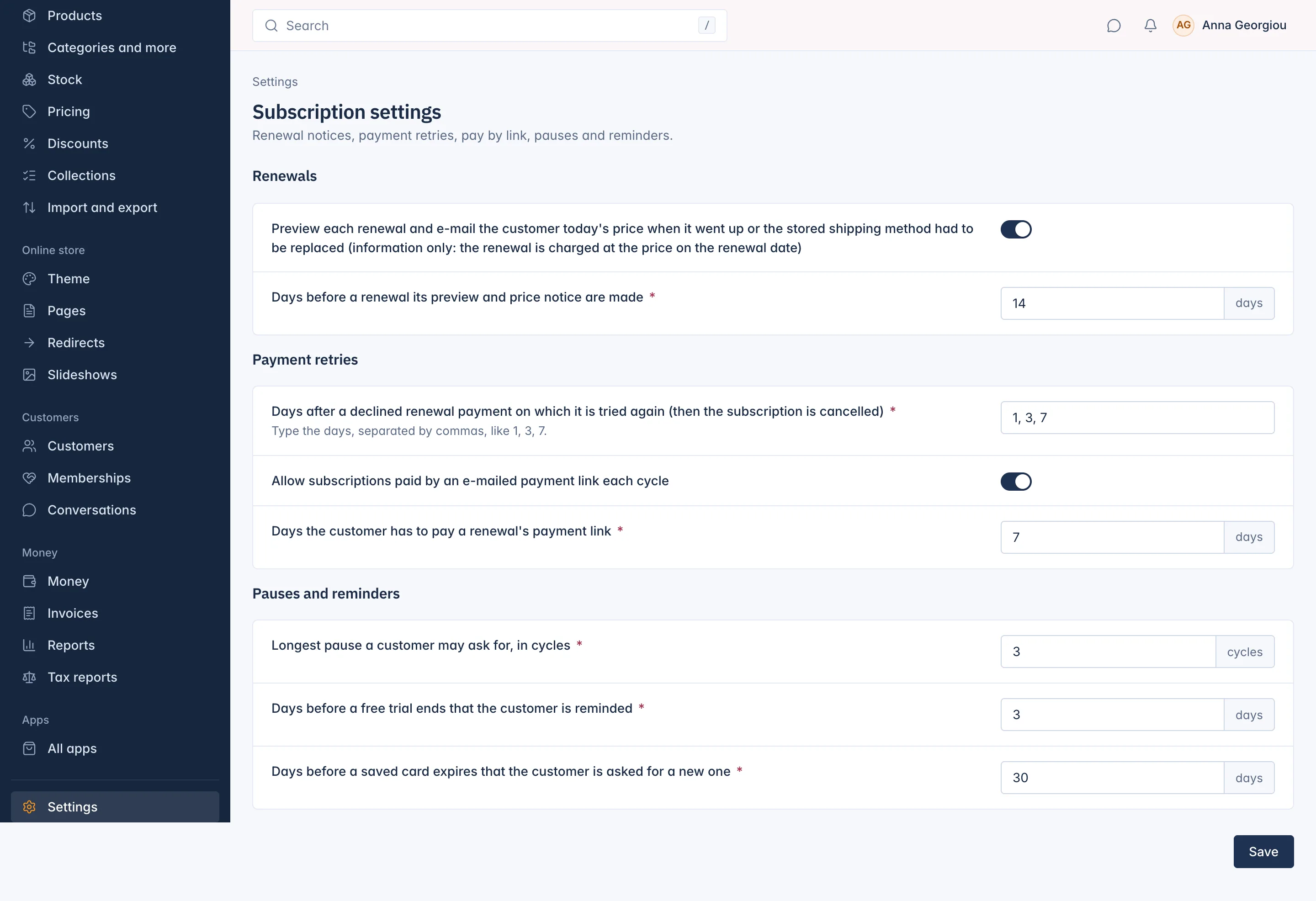
| Setting | Default | What it does |
|---|---|---|
| Preview each renewal and e-mail the customer today's price when it went up or the stored shipping method had to be replaced | On | Under Renewals. A notice for the customer only: the renewal is charged at the price on the renewal date. |
| Days before a renewal its preview and price notice are made | 14 | 7 to 60 days. |
| Days after a declined renewal payment on which it is tried again | 1, 3, 7 | "Type the days, separated by commas, like 1, 3, 7." 1 to 5 days, each later than the one before. Then the subscription is cancelled. |
| Allow subscriptions paid by an e-mailed payment link each cycle | On | Lets customers subscribe without a saved card. Switch it off to accept only automatic charging. |
| Days the customer has to pay a renewal's payment link | 7 | 1 to 30 days. |
| Longest pause a customer may ask for, in cycles | 3 | 1 to 12. |
| Days before a free trial ends that the customer is reminded | 3 | 1 to 14. |
| Days before a saved card expires that the customer is asked for a new one | 30 | 7 to 60. |
Save. You see "Subscription settings saved."
Related
Updated 13 November 2026