
Set up invoice numbers and legal details
Enter the legal details printed on your invoices, choose the number format for invoices and credit notes, and decide when invoices are issued.
In the admin: SettingsInvoice numbers
Your invoices carry your legal name, address and tax number, and a number from an unbroken series. You set these once in Settings > Invoice numbers.
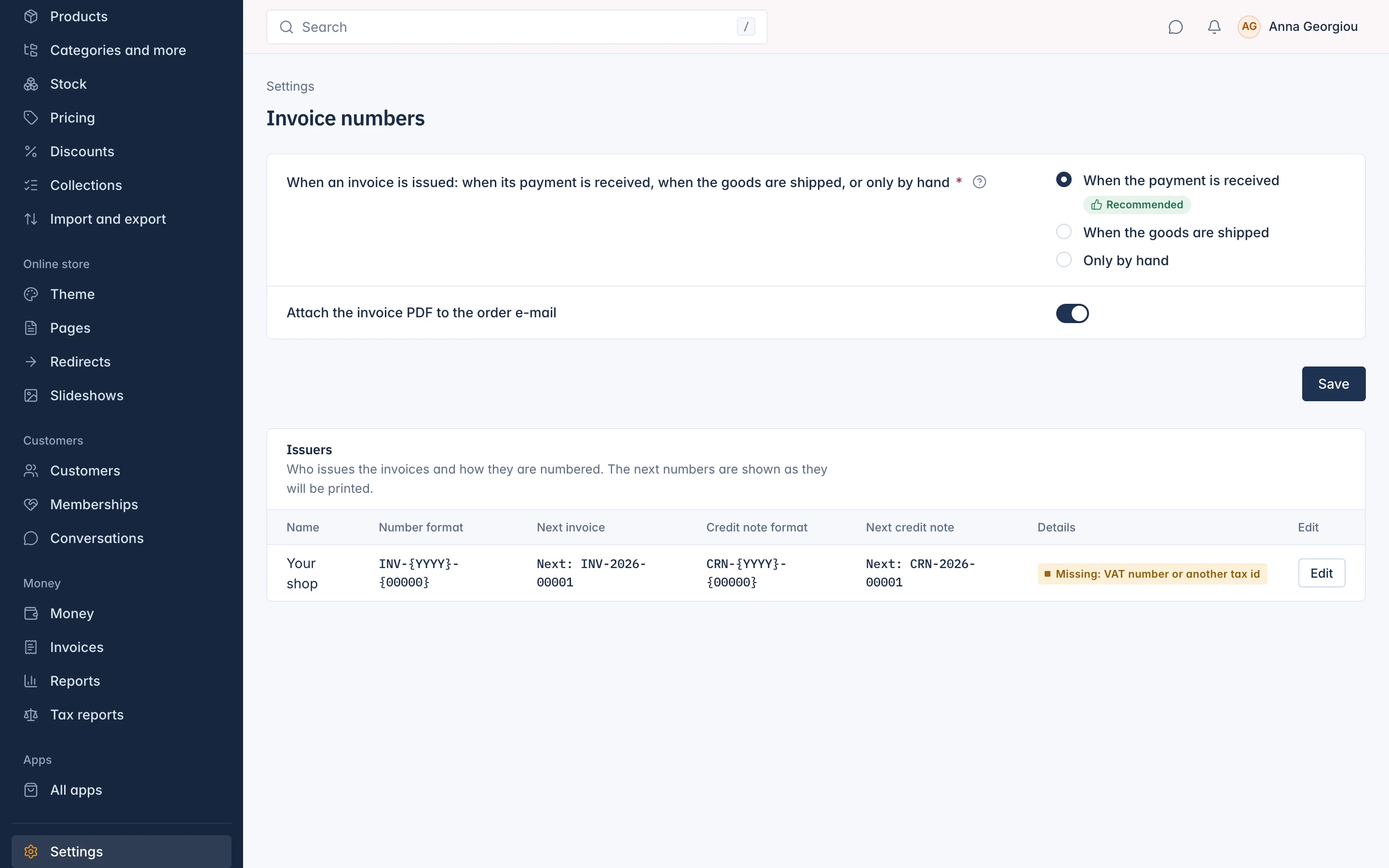
When invoices are issued
At the top of the page:
When an invoice is issued:
- When the payment is received (recommended): suits most shops and is what EU rules expect for orders paid up front.
- When the goods are shipped: pick it if your accountant asks for invoices on delivery.
- Only by hand: no invoice until someone selects Issue invoice now on the order.
- Attach the invoice PDF to the order e-mail: the customer gets the PDF with the e-mail as well as in their account.
Select Save.
Your legal details
The Issuers table has one row, Your shop. It shows the Number format, the Next invoice and Next credit note numbers as they will be printed, and whether the Details are Complete or what is missing, for example "Missing: VAT number or another tax id".
To fill them in, select Edit on the row. The Issuer details drawer opens.
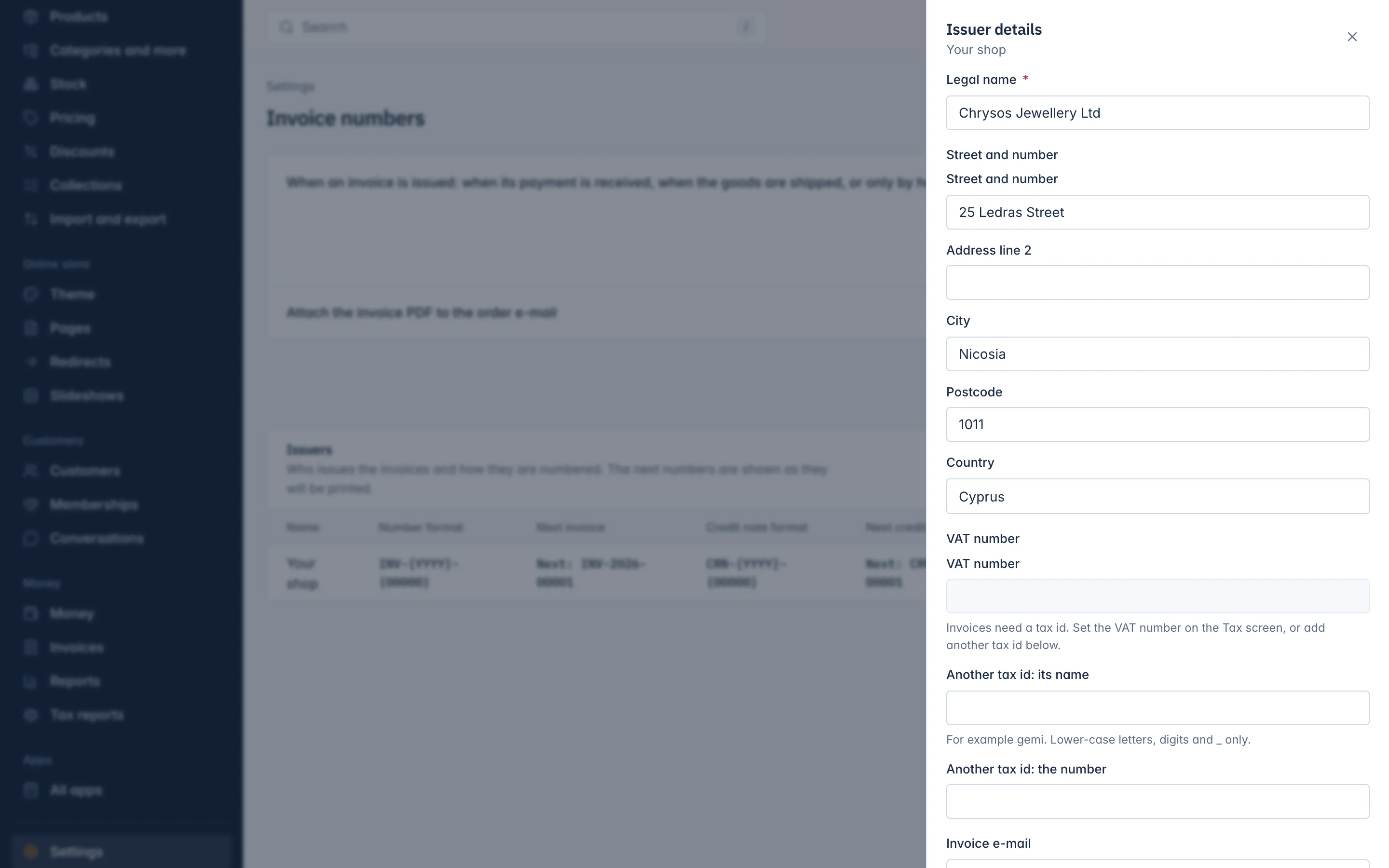
| Field | What to enter |
|---|---|
| Legal name | Your company's registered name, for example "Chrysos Jewellery Ltd". Needed. |
| Street and number, Address line 2, City, Postcode, Country | Your registered address. Street, city and country are needed. |
| VAT number | Shown here, but set in Settings > Tax, on the VAT number tab. |
| Another tax id: its name and the number | A second tax number your country asks for, such as a business registry number. Use it also when you have no VAT number. |
| Invoice e-mail | The e-mail address printed on the invoice. |
| Registration number | Your company registration number, if you have one. |
| Invoice number format, Credit note number format | See below. |
| Footer text | Printed at the bottom of every invoice, for example your bank details or a thank you. |
Select Save. Invoices need a legal name, the address and a VAT number or another tax id. Until they are complete, invoices wait and are issued by themselves, in order, once you save the missing details.
Number formats
A format is text with two codes in it:
{00000}is the running number. The count of zeros sets the length:{00000}prints 00042.{YYYY}is the year.
The default formats are INV-{YYYY}-{00000} for invoices and CRN-{YYYY}-{00000} for credit notes, printing for example INV-2026-00042. A format needs {00000} and can be at most 64 characters.
Numbers never skip or repeat. Each series counts on its own for each year.
Who can change this
Everyone who can see invoices can see this page. Changing it needs the permission to change invoice settings, which the Owner and Administrator roles have.
Related
Updated 13 November 2026