
Choose a selling mode
Sell online with a checkout, or switch to Listing only and show your catalogue without one. What changes, and how to switch safely.
In the admin: SettingsPayments
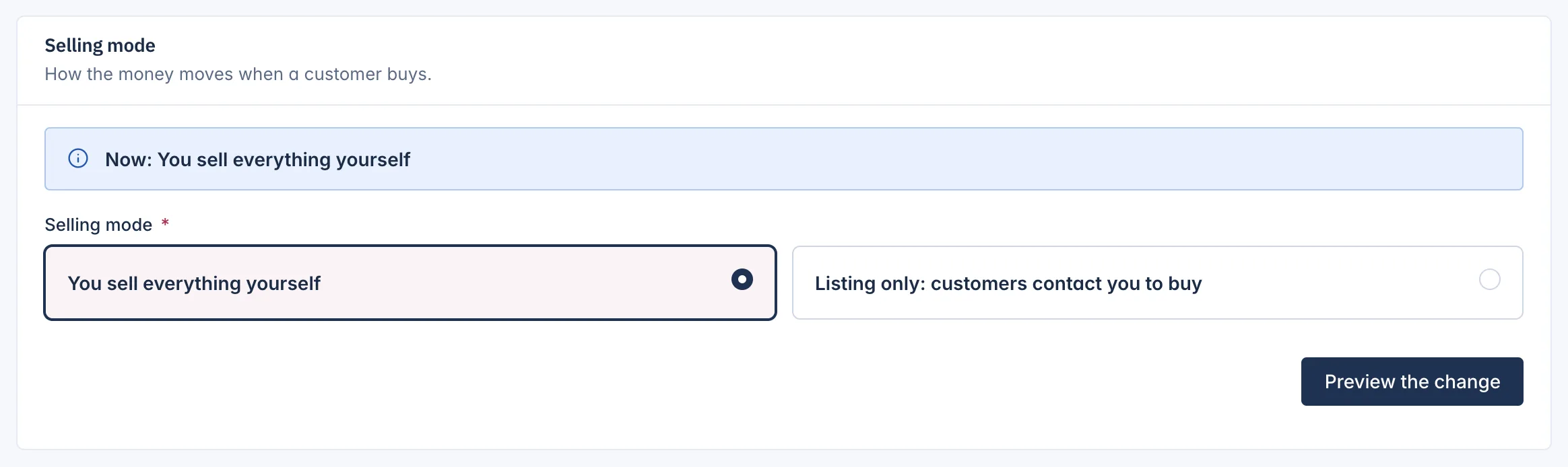
The Selling mode says how the money moves when a customer buys. A single store has two modes:
| Mode | What it means |
|---|---|
| You sell everything yourself | The normal mode. Customers put products in the cart and pay at checkout. |
| Listing only: customers contact you to buy | Your shop is a catalogue. There is no checkout and no payment: customers contact you to buy. |
The card at the bottom of Settings > Payments shows the mode in use, for example "Now: You sell everything yourself".
When to use Listing only
Listing only suits a shop that sells by quote or in person: made-to-order furniture, cars, art, or a showroom. Customers see your products, prices and pages, and contact you.
What changes in Listing only
- There is no checkout. Product pages say "Contact the shop to buy this product." A customer who reaches the checkout sees "This shop does not sell online; please contact the shop to buy these products."
- No tax is worked out, because nothing is sold online.
- Payment connections stay connected but are shown as Not offered in your selling mode.
- Memberships and subscriptions cannot be bought. Running subscriptions end at the next hourly check.
Your products, customers, orders and settings stay as they are. Switching back to You sell everything yourself opens the checkout again.
Change the selling mode
- On Settings > Payments, under Selling mode, choose the new mode.
- Select Preview the change. The preview says what will happen, for example how many subscriptions will end. Nothing has changed yet.
- Select Confirm the change, or Back to keep the current mode.
A message confirms the new mode.
The change is refused:
- while customers are still paying for orders, for example a card payment waiting for the bank. The message says when to try again;
- when your plan does not include the mode: Your plan does not include this selling mode.
Related
Updated 13 November 2026