
Your plan and billing
See your plan and what you use, change plan, keep your billing details and card up to date, pay what is due and download invoices.
In the admin: SettingsMy plan
On this page
Two screens cover what you pay IXXO Cart: My plan shows your plan and lets you change it, and Billing holds your billing details, your card, the payments due and your invoices. Both are for the shop's Owner only. Other staff do not see them, whatever their role.
Open them from the menu with your name at the top right, or from the Settings page.
My plan
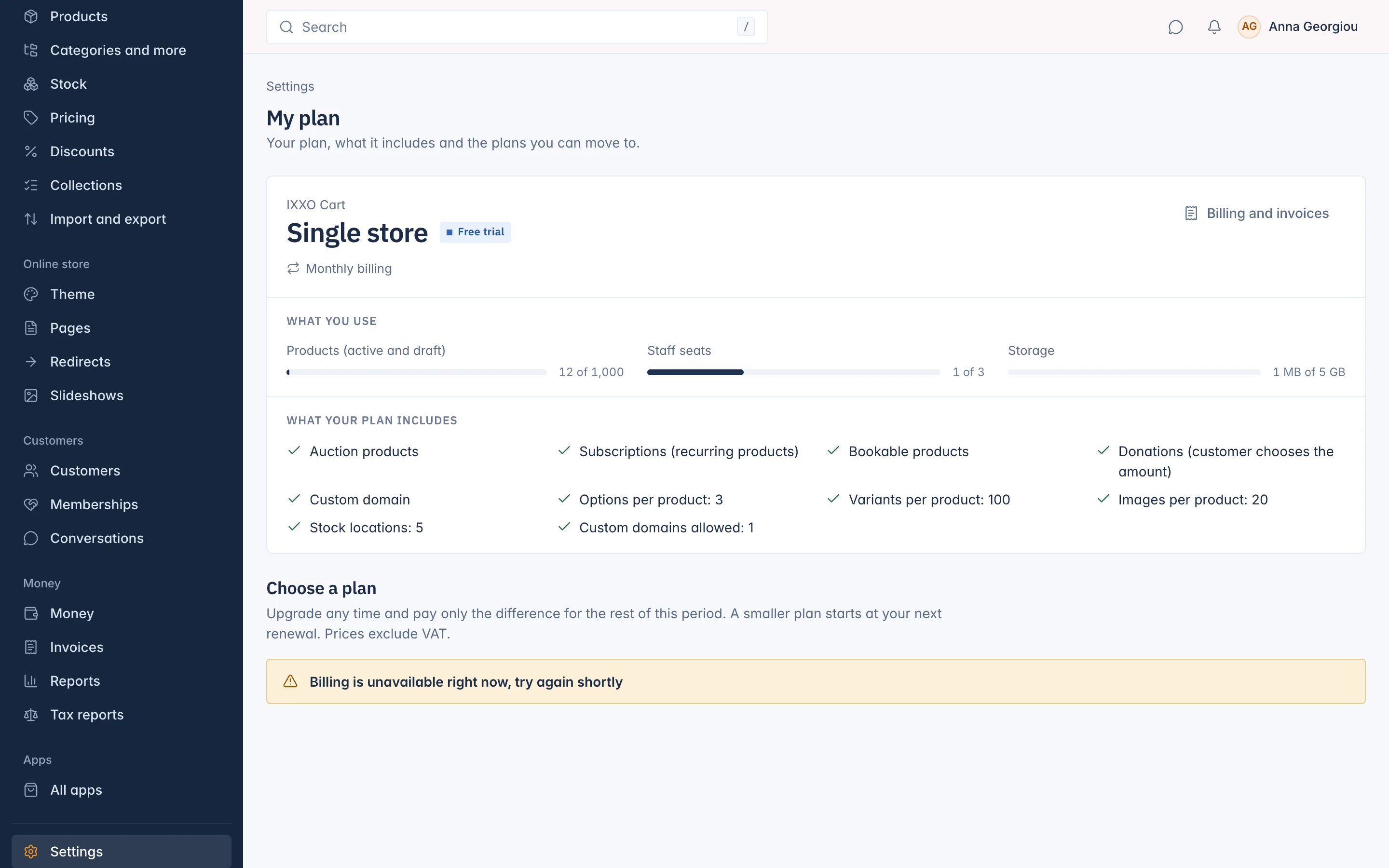
At the top you see your plan, its status (Free trial, Active, Suspended or Closed), the price, Monthly or Yearly billing and the date of the Next renewal. During a trial you see when the Free trial ends.
- What you use compares your shop with the plan's limits, for example Products (active and draft), Staff seats and Storage.
- What your plan includes lists the features and limits of your plan, for example options and variants per product, images per product, stock locations and custom domains.
Change your plan
Under Choose a plan you see the plans you can move to, each with its monthly and yearly price. Prices exclude VAT.
- Press Choose monthly or Choose yearly on the plan you want.
- Read the summary. It tells you when the change happens and what you pay now, including VAT.
- Press the pay button, which shows the amount, for example Pay €24.40 and change plan. When there is nothing to pay now, the button reads Confirm change.
When the change happens depends on the direction:
| Change | When | What you pay |
|---|---|---|
| To a larger plan | Now | The difference for the rest of this period. Your renewal date stays. |
| To a smaller plan | At your next renewal | Nothing now. You keep your current plan until then. Time already paid is not refunded. |
| From monthly to yearly | Now | A new year starts today, less the unused days you already paid. |
| From yearly to monthly | At your next renewal | Nothing now. |
| Any change during a free trial | Now | Nothing until the trial ends. |
A planned change shows on My plan with its date. Press Keep my current plan to cancel it.
If your shop uses more than the new plan allows, for example more products or staff, the change is refused with Your shop uses more than this plan allows. Reduce these first: and a list of what to reduce.
Billing
Go to Billing from your account menu, or press Billing and invoices on My plan.
Billing details
These are printed on your invoices. Fill in the Company name, the address and the Country where your business is registered: the country decides the VAT. If your business is registered for VAT, add your VAT number. It is checked with the EU VIES service when you save and then shows Confirmed by VIES. If it cannot be confirmed, your country's VAT applies.
Billing e-mail is where invoices are sent. Leave it empty to use the shop's e-mail. Press Save details.
Card
Renewals are charged to the card saved here. Press Add card (or Replace card) and enter the card on Stripe's secure page. IXXO Cart never sees the full card number: the screen shows only the brand, the last four digits and the expiry date.
Payments due
This table lists anything not paid yet: a Renewal, a Plan change, an App or AI credits. Amounts include VAT. Press Pay now to pay one with your card. A payment that did not go through shows Failed: replace the card or try again.
Invoices and credit notes
Every payment gets an invoice, and every refund a credit note. Press PDF to download one.
Trial and locked shop
During a free trial, a banner at the top of the admin says Your trial ends on and the date, with a link to Billing. Add your billing details and card before that date so the shop keeps running.
If a renewal is not paid, the shop is locked:
- The Owner sees Your shop is locked until payment. and can only open Billing until it is paid. The banner says when the storefront closes.
- Other staff see a page asking them to tell the Owner.
- After the date in the banner, the storefront closes until the payment arrives.
As soon as you pay on Billing, the shop opens again.
Related
Updated 13 November 2026