
The marketplace overview
Multi-VendorRead this month's marketplace sales, orders and sellers, see what is waiting for you, and follow seller orders paid but not shipped.
In the admin: MarketplaceOverview
Marketplace > Overview is your marketplace's daily start page. It shows how the month is going, the work waiting for your team, and the commission of the last closed month. Open it each morning to see which applications, products and seller orders need attention.
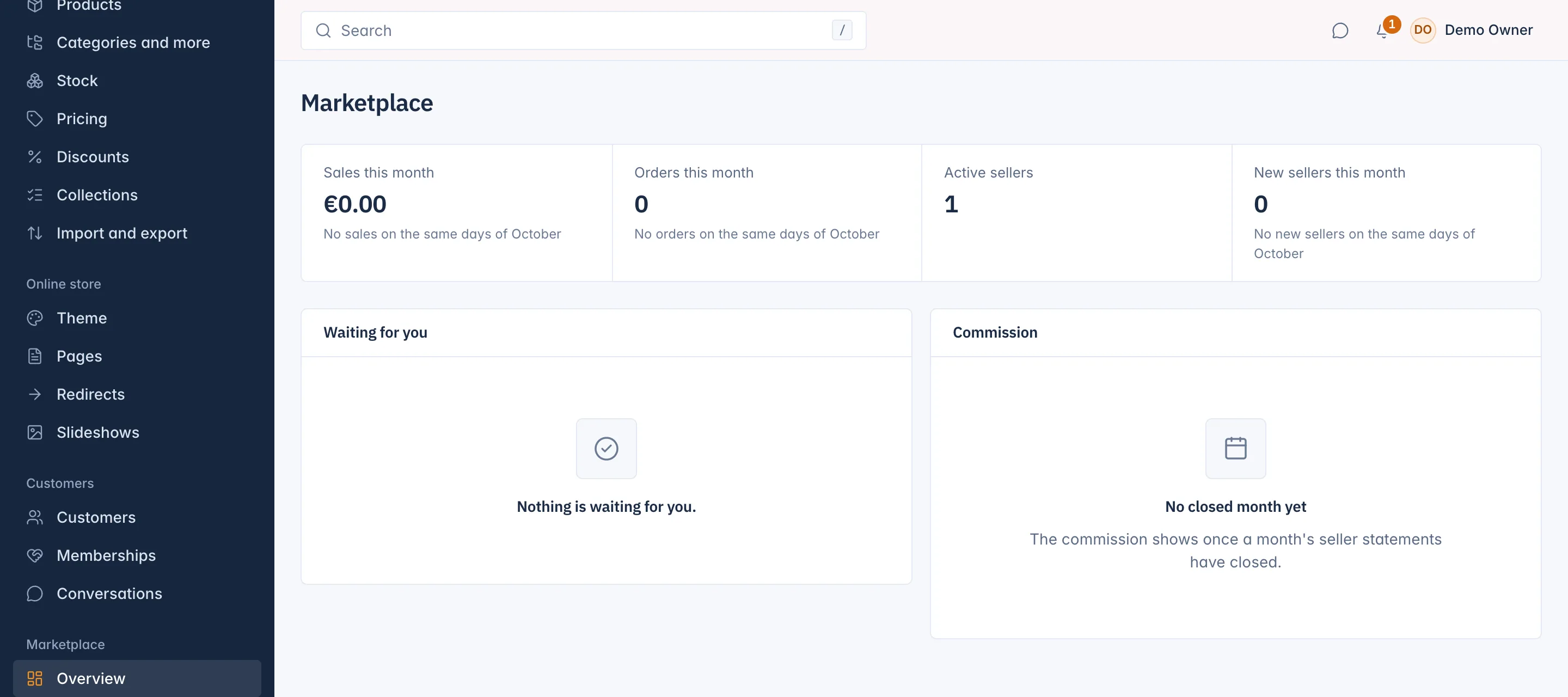
This month's figures
The top row has four figures for the current calendar month, in your shop's time zone. They count your sellers only, never your own products:
- Sales this month: sellers' sales so far, less refunds, in your main currency. Sales in another currency are never converted: the figure names them ("+ other currencies").
- Orders this month: orders with a seller's part paid this month.
- Active sellers: the sellers who may sell today.
- New sellers this month: sellers approved this month.
Under each figure a note compares it with the same days of last month, for example "+12% on the same days of October". Comparing the same days keeps the comparison fair early in the month.
The figures need the right to see marketplace reports. Without it the row is not shown.
Waiting for you
This card lists the queues your team works through, each with a count you can click:
| Queue | Opens |
|---|---|
| Applications to decide | The submitted applications in Marketplace > Applications. See Review seller applications. |
| Products to review | Sellers' products waiting for a check. See Check sellers' products. |
| Paid, not shipped | Seller order parts that are paid and not sent yet. |
You see only the queues you have the right to open. When every queue is empty the card says "Nothing is waiting for you."
Paid, not shipped
Paid, not shipped lists the seller order parts that customers have paid and the seller has not sent yet, the oldest paid first. Each row shows the Order, the Seller, when it was Paid, how long it is Waiting ("Paid 5 days ago") and the Part total.
Filter by Seller to see one seller's backlog. Use the list to chase sellers who ship late, for example with a message in Conversations. When the list is empty it says "Every paid seller order has been sent."
Commission
The Commission card shows the commission of the last month whose seller statements have closed, compared with the month before. A month closes into statements once it has ended, so until the first month closes the card reads "No closed month yet". See Payouts and seller statements.
Related
Updated 13 November 2026