
Send announcements to sellers
Multi-VendorWrite news for every seller or for the sellers on chosen plans, publish it to their panel and by e-mail, and see who has read it.
In the admin: MarketplaceAnnouncements
On this page
Announcements are news from you to your sellers: a new fee, a holiday shipping deadline, a change to your rules. Sellers read them in their panel, and you can e-mail them too. Each announcement counts how many sellers have read it, so you know who still needs a reminder.
The Announcements list
Marketplace > Announcements has three tabs: Drafts, Published and Archived. Each row shows the Title, Who gets it, when it was Published, and how many sellers have Read it ("Read by 12 of 40").
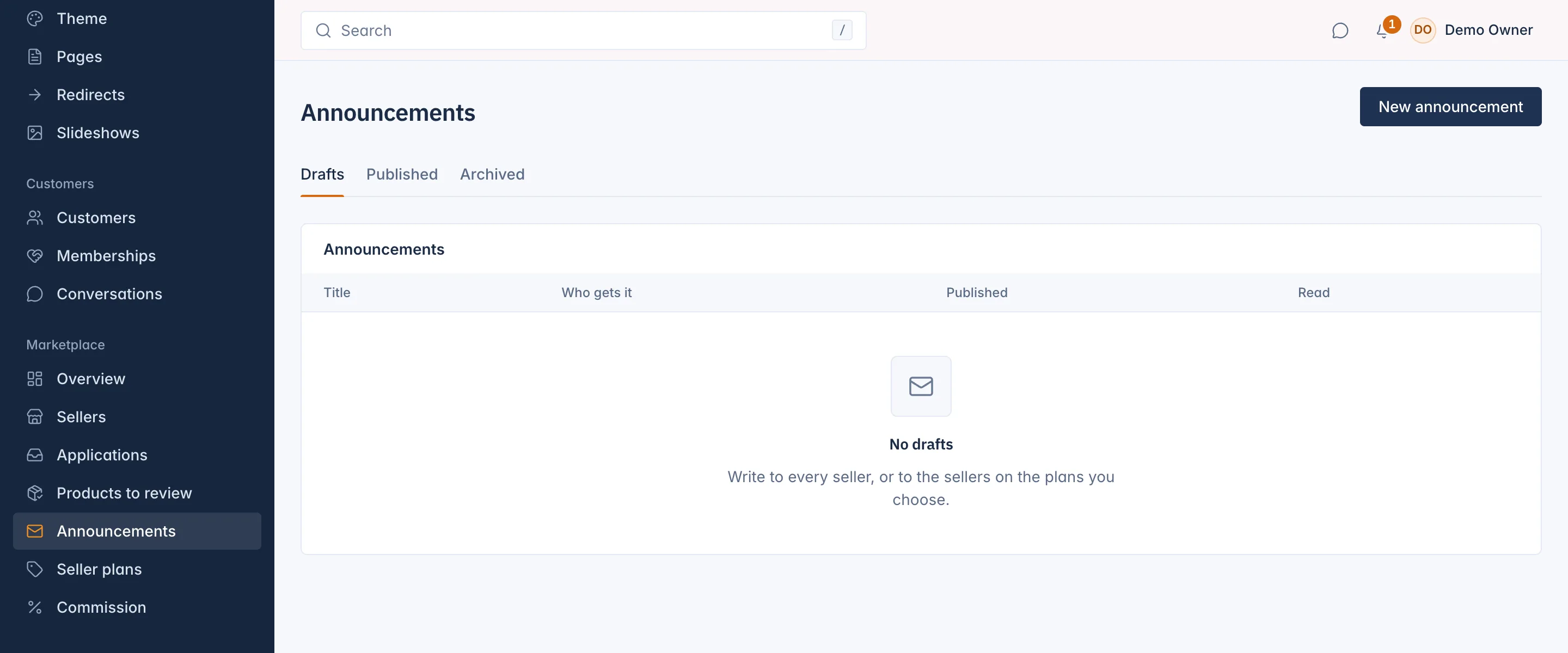
Write and publish an announcement
- Press New announcement.
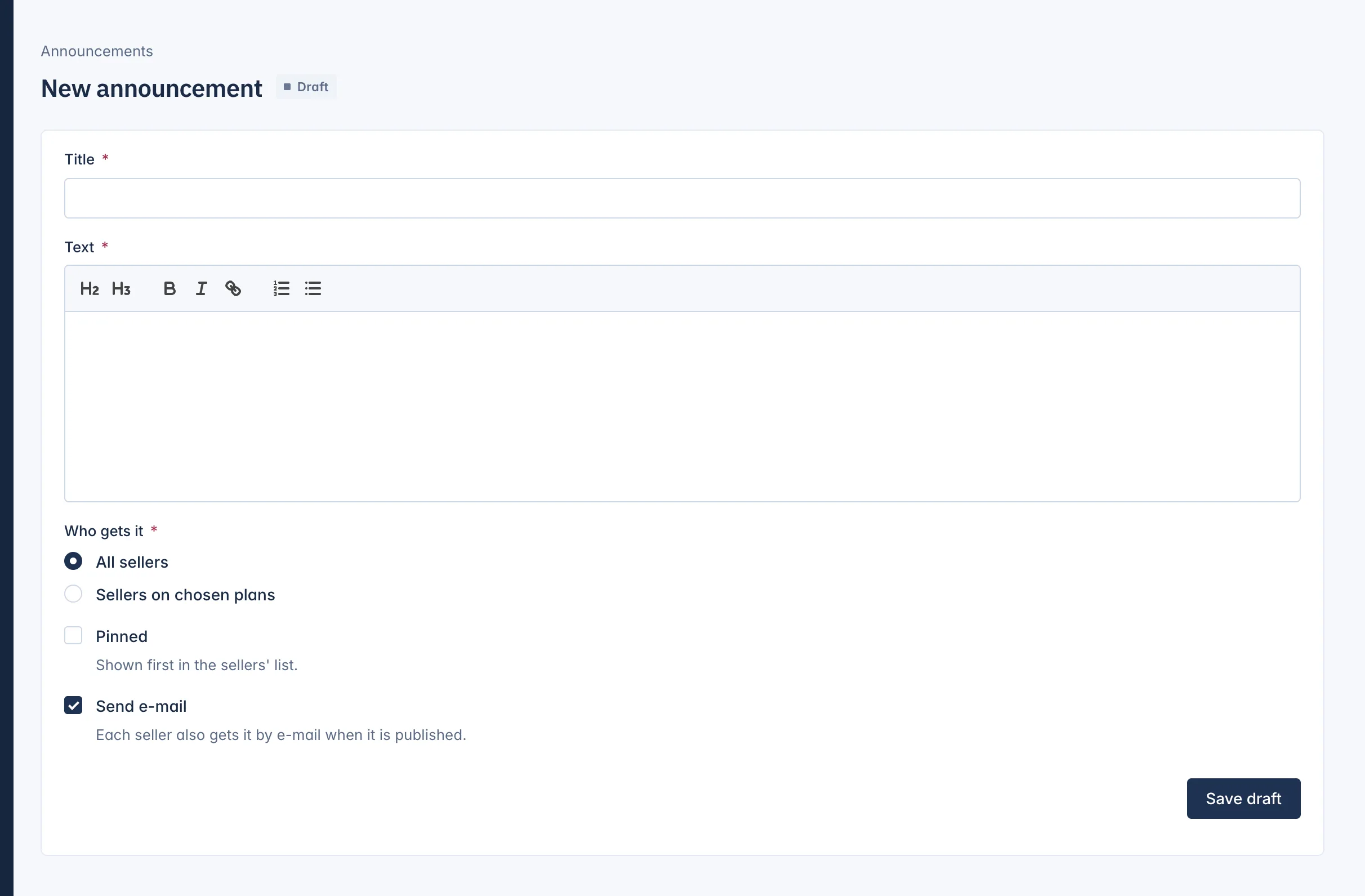
- Write the Title (up to 200 characters) and the Text. The text editor lets you add headings, lists and links.
- Under Who gets it, choose All sellers, or Sellers on chosen plans and tick the Plans. The plan choice needs seller plans.
- Tick Pinned to show it first in the sellers' list.
- Tick Send e-mail if each seller should also get it by e-mail when you publish it.
- Press Save draft. A new announcement is always saved as a draft first.
- When it is ready, press Publish on the draft and confirm. Publishing saves the form as it is on the screen, then sends it.
Sellers see a published announcement at once.
See who has read it
Open a published announcement to see:
- Details: who gets it, whether it was e-mailed, when it was published, and how many of the sellers it went to have read it.
- What sellers see: the announcement as it shows in the seller panel.
- Read by: each seller that has opened it, with when it First read it.
Archive or delete
- Archive takes a published announcement out of the sellers' panel. You keep it and the list of who read it, on the Archived tab.
- Delete removes a draft for good. A published announcement cannot be deleted, only archived.
What sellers see
In their panel, sellers find announcements under Messages > Announcements, pinned ones first, with Unread on those they have not opened. Announcements are one way: to answer, a seller writes to you in a conversation. See The seller panel.
Related
Updated 13 November 2026