
Product address and search engine texts
Change a product's web address, set the title and description that search engines show, and give the product an address in each language.
In the admin: CatalogProductsSEO
On this page
The SEO tab decides how the product appears in Google and other search engines: the address of its page, and the title and short description shown in search results. Everything here is optional. Left empty, the shop fills in sensible texts from the product itself.
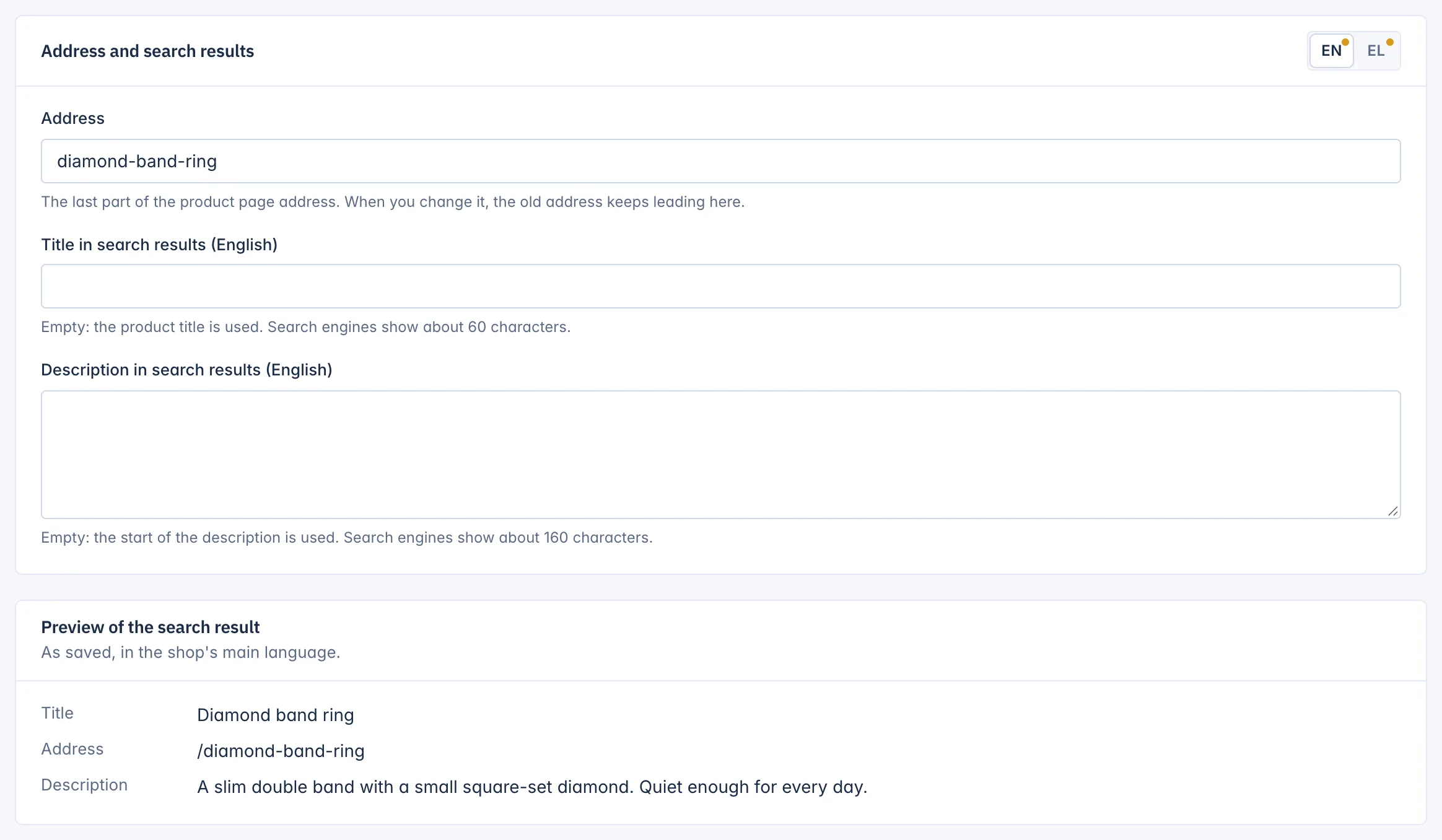
Address
The Address is "The last part of the product page address", such as diamond-band-ring. The shop makes it from the title when you create the product, in lower-case letters, digits and hyphens. Greek and accented letters become plain Latin letters, so "Κόκκινο Φόρεμα" becomes kokkino-forema.
Each address can be used by one product only. When it is taken, the editor suggests a free one: "This address is already used. You can use ... instead."
When you change the address, "the old address keeps leading here". Links in old e-mails, social posts and search results still open the product.
Address in other languages
With several languages, switch the card to another language to see Address in this language. It is optional. Empty, the main address is used in that language too. Give it a value to have a page address in the customer's language.
Title and description in search results
Per language:
- Title in search results: "Empty: the product title is used. Search engines show about 60 characters."
- Description in search results: "Empty: the start of the description is used. Search engines show about 160 characters." It can be up to 500 characters, but anything after about 160 is cut off in search results.
Write a title that says what the product is and why to click, and a description that answers the buyer's first question. Each language has its own pair. Click Save at the top of the page.
Preview of the search result
The Preview of the search result card shows the title, address and description as search engines will see them, "As saved, in the shop's main language". Save first to see your changes in the preview.
What else search engines read
The shop also tells search engines the product's price, stock, brand, condition and GTIN, from the fields you fill in on the other tabs, and with the Product reviews app its star rating. A GTIN and a brand help search engines match your product to shopping results.
Related
Updated 13 November 2026