
Abandoned carts and reminder e-mails
See the checkouts customers started and left, and send one reminder e-mail with a link back to their cart.
In the admin: SalesAbandoned carts
On this page
An abandoned cart is a checkout a customer started and then left. The shop lists them so you can see how many sales slip away, and it can send each customer one reminder e-mail with a link back to their cart.
The list
Sales > Abandoned carts shows "Checkouts customers started and left. A cart that becomes an order after the reminder shows its order." The newest come first.
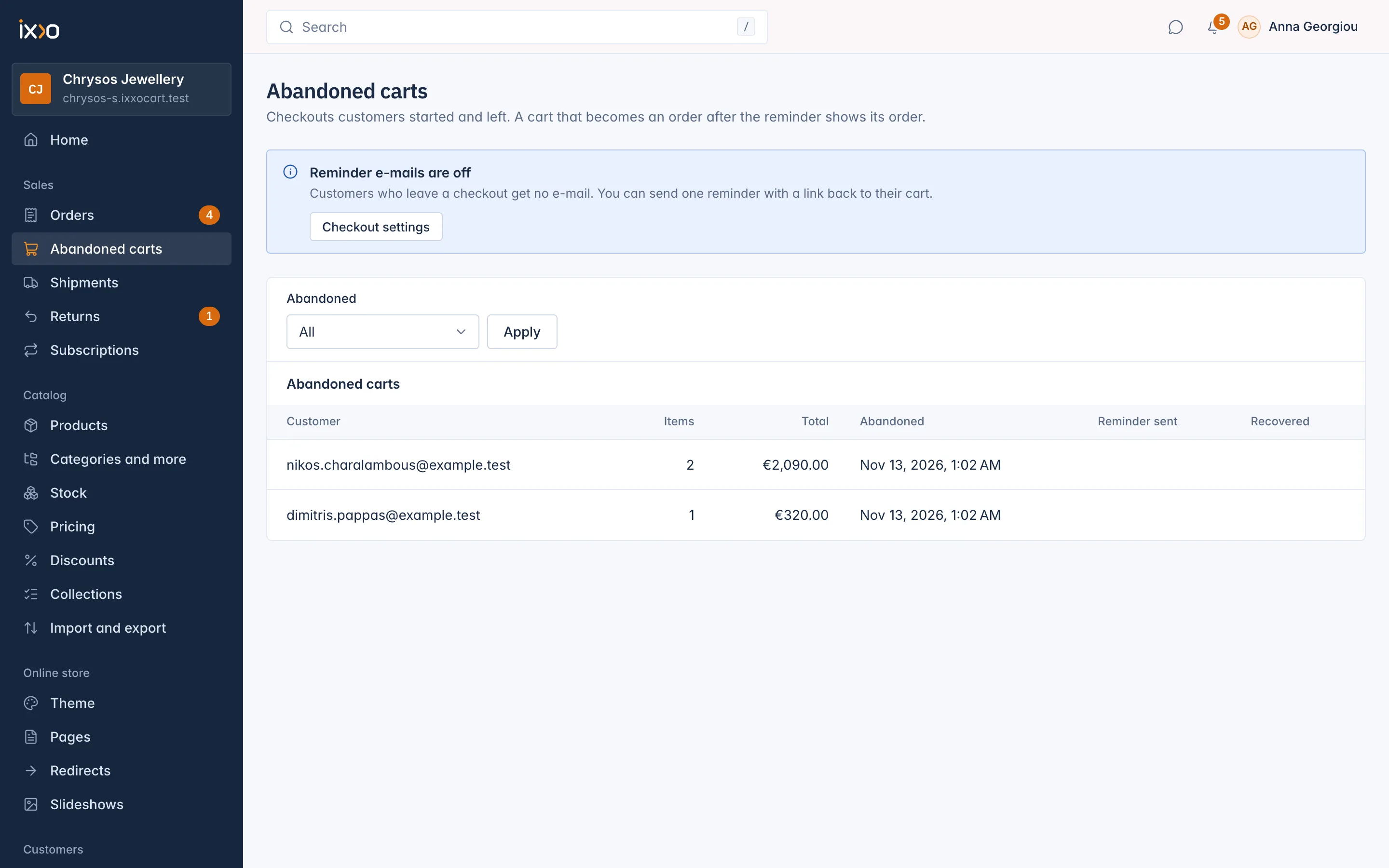
| Column | What it shows |
|---|---|
| Customer | The customer's name and e-mail, or the e-mail a guest typed. Empty when the guest left before giving one. |
| Items | How many units were in the cart. |
| Total | The value of the goods. |
| Abandoned | When the checkout was counted as abandoned. |
| Reminder sent | When the reminder went out. Empty when none was sent, or not yet. |
| Recovered | The order the cart became after the reminder, with a link to it. |
Use the Abandoned filter to show only the Last 30 days.
Orders you create by hand never appear here.
When a checkout counts as abandoned
A checkout counts as abandoned when nothing happened in it for the hours set in Settings > Checkout under Hours before an unfinished checkout is abandoned: 24 by default, between 1 and 720.
Turn on reminder e-mails
Reminders are off by default. While they are off, the list shows Reminder e-mails are off: "Customers who leave a checkout get no e-mail. You can send one reminder with a link back to their cart." The link Checkout settings takes you to the settings.
- Go to Settings > Checkout.
- Switch on Send a reminder e-mail for abandoned carts.
- Set Hours after abandoning to send the reminder: 4 by default, between 1 and 72.
- Save.
The reminder is "One e-mail with the items and a link back to the cart, sent once." With the defaults, a customer who leaves at 10:00 counts as abandoned the next day at 10:00 and gets the e-mail at 14:00.
Who gets a reminder
Each cart gets at most one reminder. None is sent when:
- the customer gave no e-mail address;
- the cart is empty, or the customer went back to the checkout;
- the customer placed an order in the meantime;
- the customer asked for no more reminders with the link Don't send me reminders at the bottom of an earlier reminder.
Only carts abandoned in the last two days or so are reminded. Turning reminders on does not e-mail carts left weeks ago.
Change the e-mail
The reminder is the e-mail Abandoned cart reminder in Settings > E-mails. Change its wording there. Switching that e-mail off there stops reminders too.
Related
Updated 13 November 2026