
How customer accounts work
How customers sign up, confirm their e-mail and sign in, guest checkout, and the settings that control customer accounts.
On this page
A customer account lets a shopper sign in to your shop, see their orders, keep addresses and wishlists, and talk to you. This article explains how accounts are made, what customers can do with them, and the settings that decide whether buyers need one.
How a customer gets an account
There are two ways:
- The customer signs up on your shop's sign-up page. They give their name, e-mail address and a password. At checkout, a customer who already has an account can sign in.
- You create the account from Customers > Customers with Create customer. See Find and add customers.
Every account belongs to your shop only. The same person can have accounts at other IXXO Cart shops without them being linked.
E-mail confirmation
By default a new customer must confirm their e-mail address before they can sign in. They get an e-mail with a link; the link works for 48 hours. If it runs out, they can ask for a new one from the sign-in page.
You turn this on or off in Settings > Customers with New customers confirm their e-mail address.
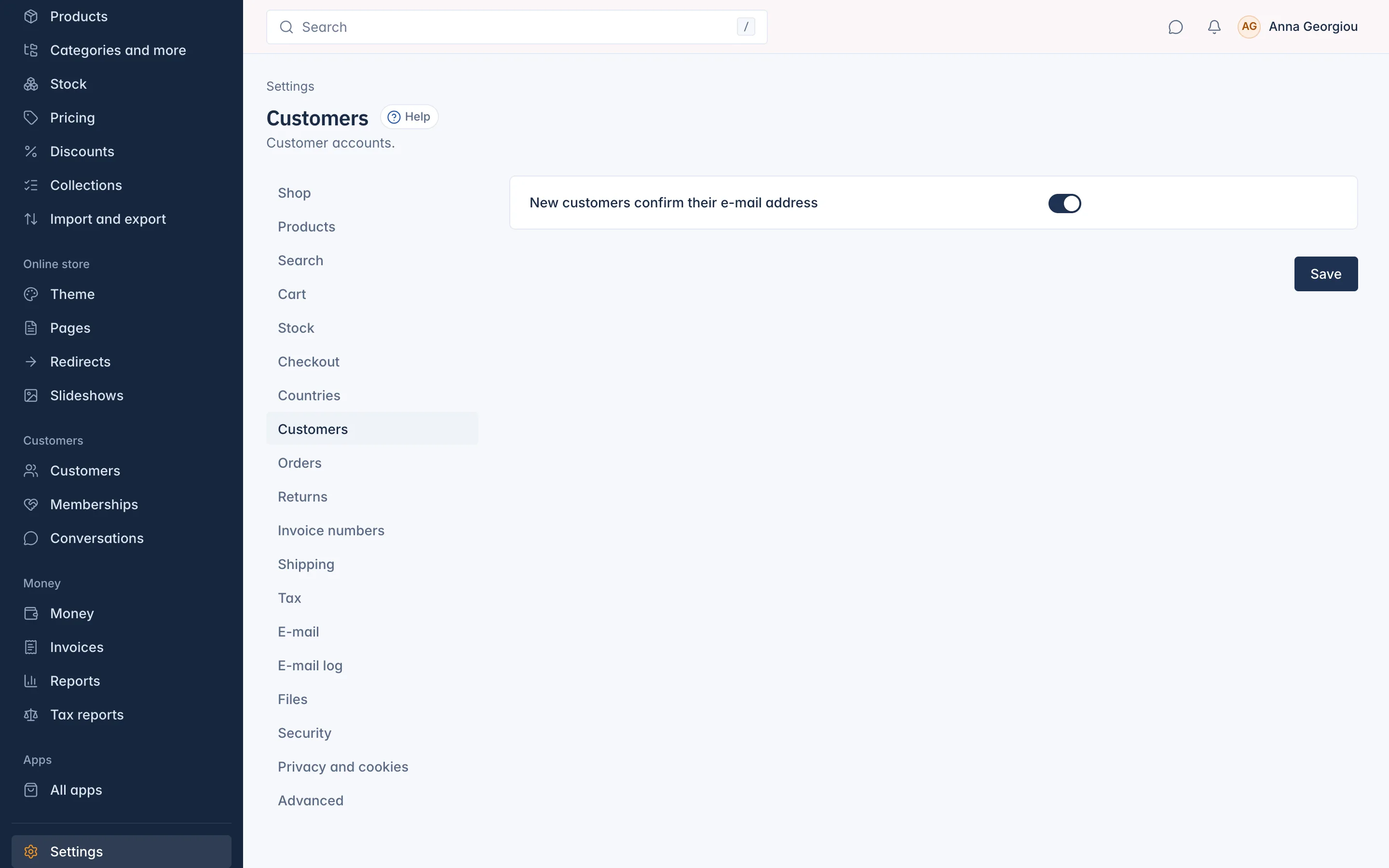
Keep it on unless you have a reason not to: it stops people signing up with someone else's address.
Some things always need the confirmation, whatever the switch says. For example, when someone signs up with an e-mail address you already had a record for (such as a customer you added through the API), they must confirm it first, so nobody can take over another person's order history by typing their address.
If a customer cannot find the e-mail, you can confirm the address for them on their page with Mark email as verified.
Guests and accounts at checkout
Settings > Checkout has Customer accounts at checkout:
- Guests allowed (recommended): buyers can check out with or without an account.
- Account required: buyers must sign in or sign up before they can pay.
- Guests only: no account is offered at checkout.
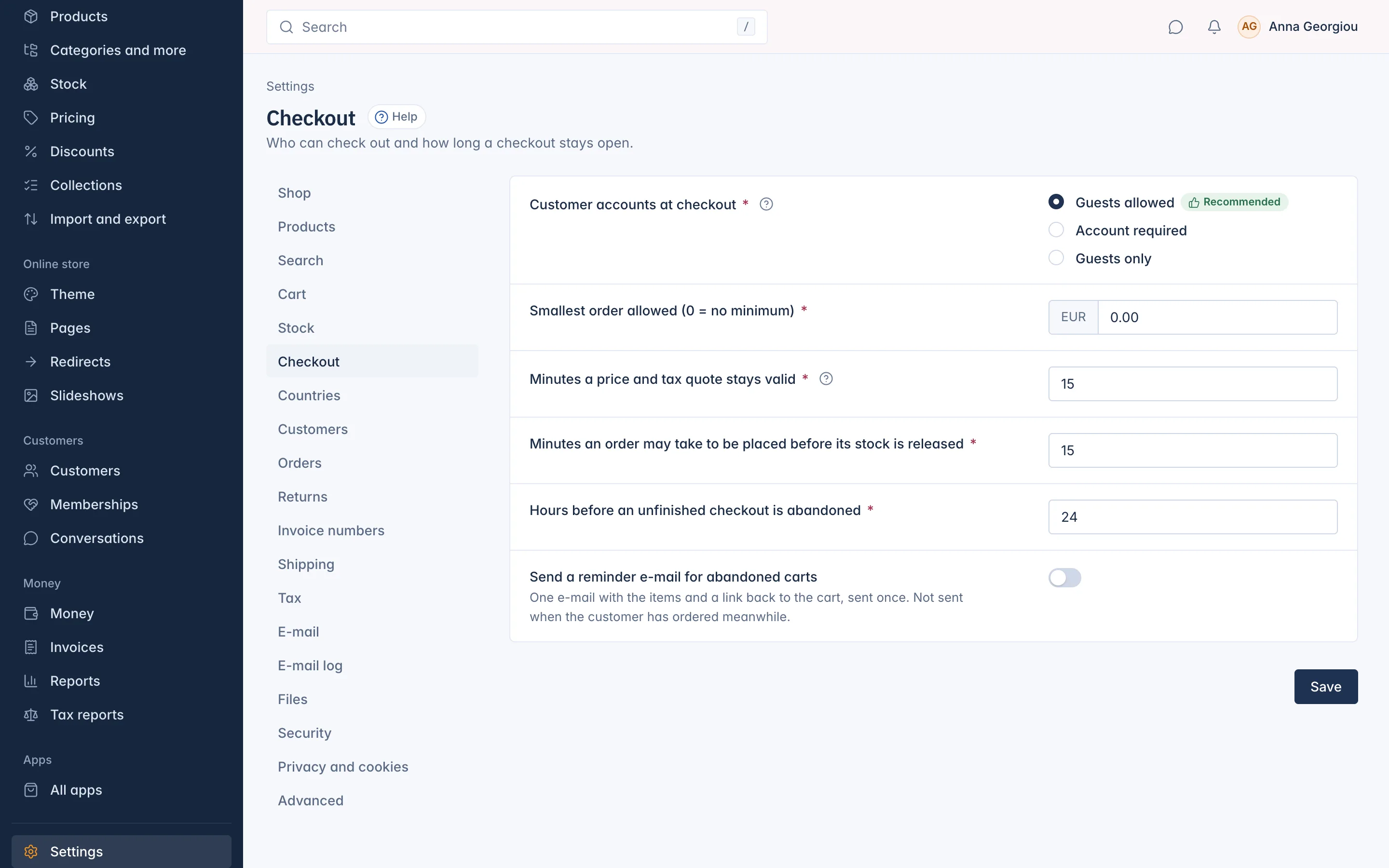
Guest buyers do not appear in the Customers list. Their order is still in Orders, with the e-mail address they gave, and they can follow it through the link in their order e-mail.
What customers can do in their account
Once signed in, a customer has their own account area on your shop, Your account, with these pages:
- Orders and Returns, with their invoices and credit notes.
- Subscriptions and Membership, when they have one.
- Payment methods they saved.
- Wishlists (see Wishlists and alerts).
- Messages: their conversations with your shop.
- Addresses, and Your details with company and VAT number.
- Sign-in and security: change the password or e-mail address, and Sign out on every device.
- Privacy: marketing e-mails, wishlist alerts, download their data, delete their account (see Customer data requests).
Changing the e-mail address
Only the customer can change their e-mail address, from their account. They type their password, then confirm the new address with a link sent to it. Their old address gets a notice that it changed. This keeps someone who borrowed a signed-in computer from taking over the account.
How long customers stay signed in
Customers stay signed in for 30 days without a visit by default. You can change this in Settings > Security with Customers stay signed in for (hours).
Signing in is protected
After several wrong passwords for one e-mail address, signing in is paused for a while. A customer who forgot their password uses Forgot password on the sign-in page, or you send them a link with Send password-reset link on their page.
A blocked customer cannot sign in at all and cannot check out as a guest with the same e-mail address.
Related
Updated 13 November 2026