
Invoices and credit notes
How invoices and credit notes are issued, find and open them, download the PDF, send a copy, and fix a mistake with a credit note.
In the admin: MoneyInvoices
On this page
IXXO Cart issues an invoice for every paid order by itself, numbers it without gaps, and makes the PDF. When money goes back, it issues a credit note. You do not type invoices by hand.
Before your first invoice, fill in your legal details and choose your number format: see Invoice numbers and legal details.
When an invoice is issued
By default an invoice is issued when the payment is received: at once for a card or PayPal payment, and when you select Mark as paid for a bank transfer or pay on pickup order. You can change this to When the goods are shipped or Only by hand in Settings > Invoice numbers.
To issue one earlier, open the order and choose More, then Issue invoice now.
The customer finds the invoice in their account with the order. With Attach the invoice PDF to the order e-mail switched on, it is also attached to the e-mail.
When a credit note is issued
A credit note is issued by itself when an invoiced order is refunded, in full or in part, or when units are cancelled after the invoice. It names the invoice it corrects and the Reason. Credit notes have their own number series.
An issued invoice never changes. To correct one, a credit note takes back what was wrong.
Find an invoice
Money > Invoices has two tabs: Invoices and Credit notes.
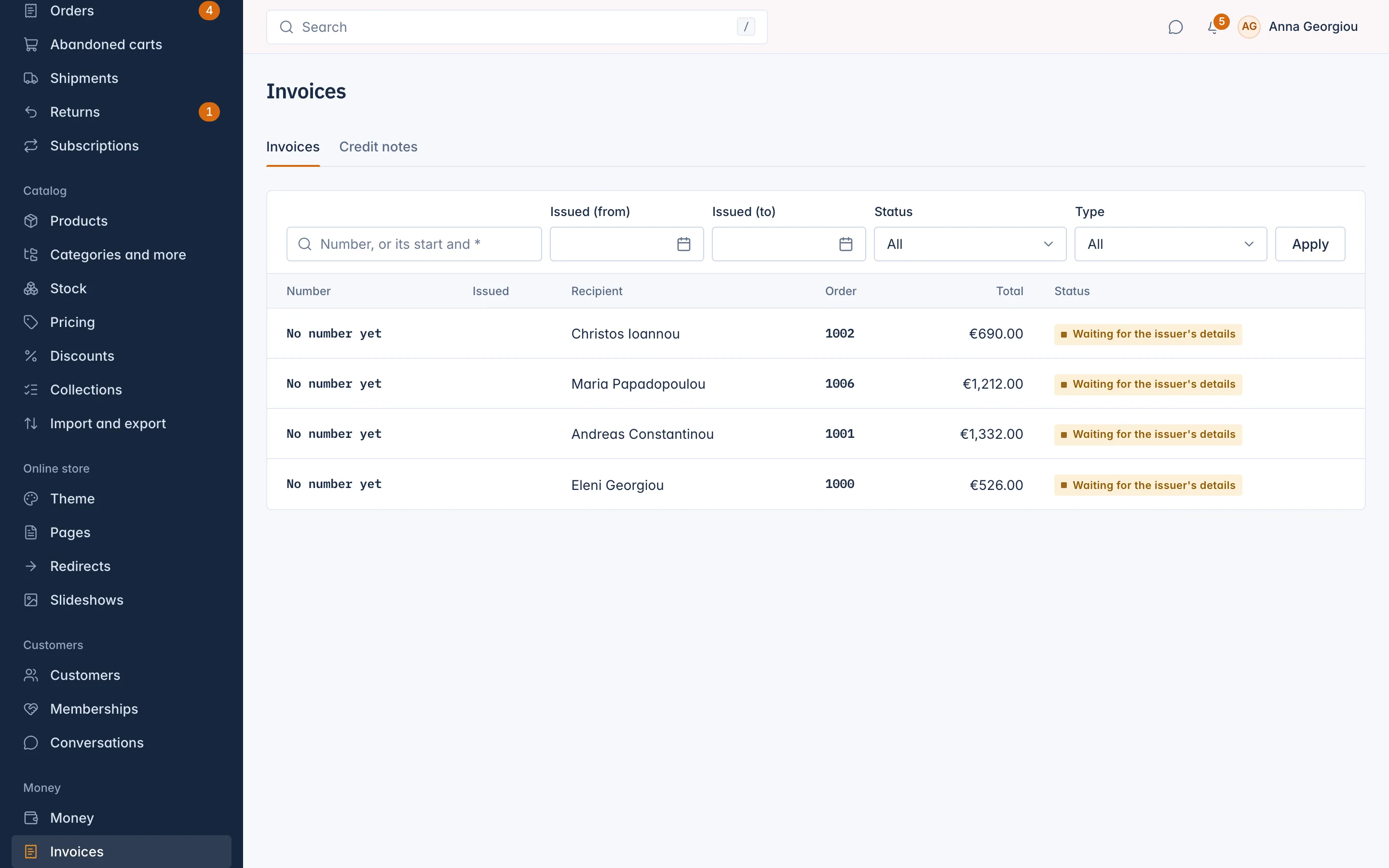
| Column | What it shows |
|---|---|
| Number | The invoice number, for example INV-2026-00042. |
| Issued | The date it was issued. |
| Recipient | The customer or company it is made out to. |
| Order | The order it belongs to. |
| Total | The amount with VAT. |
| Status | See below. |
Filter by Number (type the full number, or its start followed by *), Issued date, Status or Type.
| Status | Meaning |
|---|---|
| Issued | A normal invoice. |
| Void | Cancelled in full by a credit note. Its number stays used, so the series has no gaps. |
| Waiting for the issuer's details | Your legal details are not complete yet. It gets its number and is issued by itself as soon as they are. |
Open an invoice
The invoice page shows:
- Lines: each product and the shipping, with Quantity, Unit price, Discount, Net, VAT rate, VAT and Total;
- Tax by rate and scheme: the VAT for each rate and scheme, with the reason when no VAT is charged, for example Reverse charge;
- Totals: Total net, Total VAT and Total;
- Credit notes made against this invoice;
- Details, Issuer and Recipient, as printed on the invoice.
Two buttons at the top:
- Download PDF opens the PDF. Right after an invoice is issued you may see "The PDF is being made." for a moment.
- Resend sends a copy of the PDF to the e-mail address on the invoice. Confirm with Send a copy.
Credit notes have the same page, with the Reason and the invoice they correct. A credit note that cancels everything says This credit note cancels the invoice in full.
Invoices waiting for your details
An invoice needs your legal name, address and a tax number. If something is missing, invoices wait with the status Waiting for the issuer's details, and the order says "An invoice waits for the issuer's details." Complete the details in Settings > Invoice numbers and every waiting invoice is numbered and issued by itself, in order.
Related
Updated 13 November 2026