
Bank transfer and pay on pickup
Switch on bank transfer and pay on pickup, add your bank details and a note in each language, and see how these payments are confirmed.
In the admin: SettingsPayments
Bank transfer and pay on pickup let customers pay outside the card checkout, with no payment provider and no fees. The money reaches you directly, and you tell the shop when it has arrived.
Switch them on
- Go to Settings > Payments and find the Offline methods card.
- Switch on Bank transfer, Pay on pickup, or both.
For bank transfer, fill in the Bank details:
- Account holder and IBAN (both needed);
- BIC and Bank name, which help customers who pay from abroad.
- Optionally write a Note under the bank details, for example "Please use your order number as the payment reference." The note has a box for each language of your shop: use the language switch to fill each one.
- Select Save.
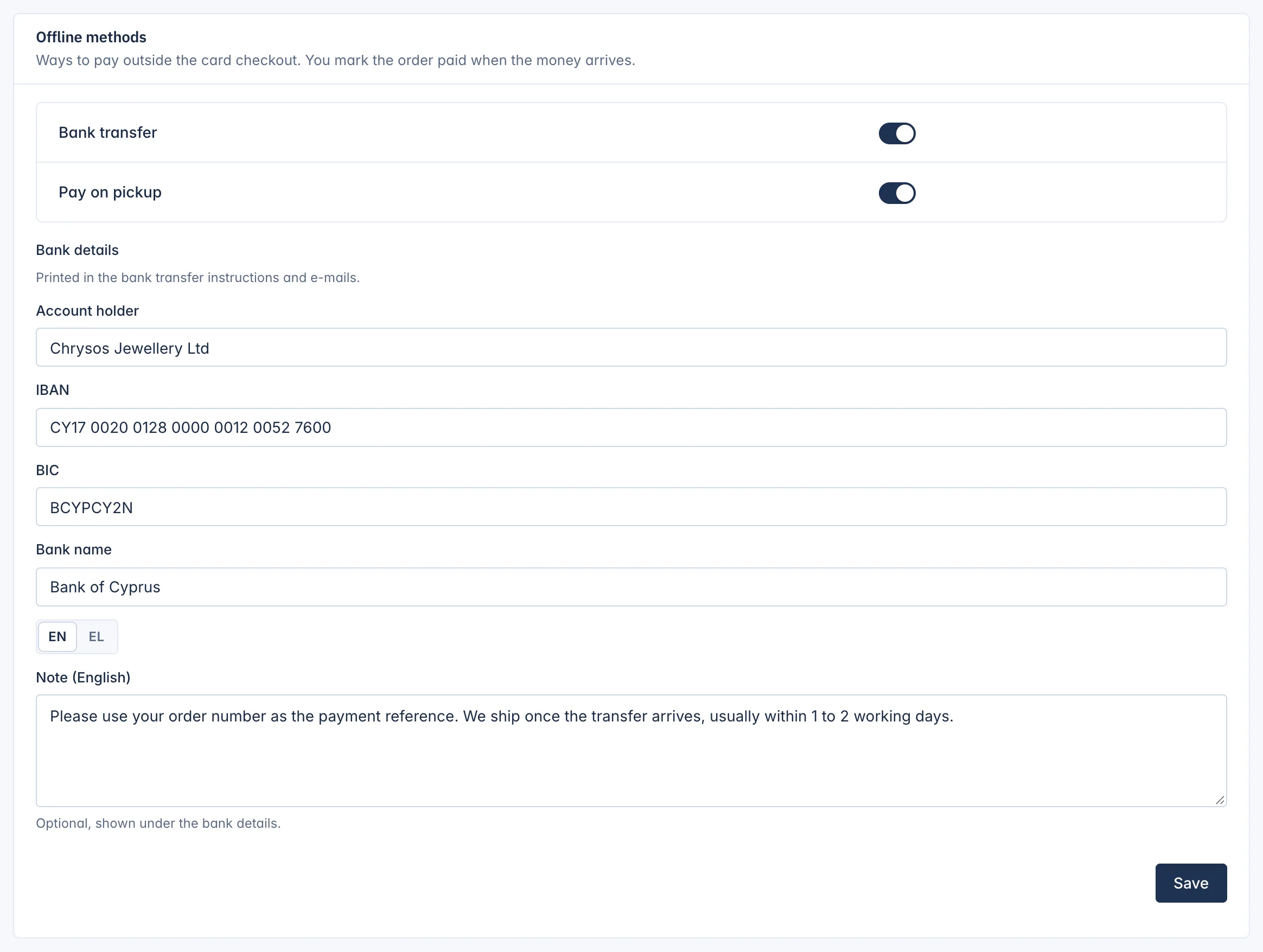
The bank details are printed in the bank transfer instructions on the order confirmation and in the e-mails.
If you switch on bank transfer without bank details, the card warns: Bank transfer is on, but customers are not told where to pay. Add your bank details.
When each method is offered
- Bank transfer is offered on every order.
- Pay on pickup is offered only when everything in the order is collected in person, that is when the customer chooses a pickup delivery method. Set up pickup in your shipping settings first.
How the payment is confirmed
The customer is told how much to pay, to whom, and the reference to quote: the order number. The order waits as Waiting for payment.
When the money arrives, or the customer pays at the counter, open the order and select Mark as paid. The stock is taken for good, the invoice is issued (when your shop issues invoices on payment), and the customer gets the payment confirmation.
A bank transfer order not paid within 3 days is cancelled by itself and its stock goes back on sale. A pay on pickup order waits until you mark it paid or cancel it.
The full steps, reminders and what to do with late money are in Orders and delivery.
Refunds
For an order paid by bank transfer or at pickup, you send the money back yourself, from your bank or in cash, and record the refund on the order.
Related
Updated 13 November 2026