
Commission invoices
Multi-VendorThe monthly invoice each seller gets for your commission, who pays it and how, marking it paid, and rebuilding a month that was missed.
In the admin: MarketplaceCommissionCommission invoices
On this page
Each month your marketplace invoices every seller for the commission it earned on that seller's sales. Some sellers pay that invoice; for others the commission was already kept from their sales, and the invoice is their record of it. This article explains which is which, and how to mark an invoice paid. To set the commission itself, see Commission rules.
When invoices are made
Early in each month, IXXO Cart makes one commission invoice per seller and currency for the month before. The invoice is issued by your marketplace to the seller, numbered in your invoice series, and the seller can download it in its panel.
- A month is what was paid in it. A sale counts in the month its payment was recorded, and a refund in the month it was made. A refund in November of an October sale lowers November's invoice; the October invoice is not changed.
- Fulfilment fees are on the same invoice. Shipping labels you bought for the seller are invoiced too, collected the same way as the label charge was.
- Tax on commission follows your Shop default setting: added on the invoice, or none.
- A month below zero, for example when refunds were larger than sales, gets no invoice. A seller who pays its commission by invoice is owed the difference as a credit.
If your shop's invoice details (your company name, address and tax number) are not complete, the invoice waits as a Draft with no number. It is numbered as soon as you complete them.
Who pays the invoice
The Collected by column says how each invoice is settled:
| Collected by | Who | What happens |
|---|---|---|
| Seller pays the invoice | Sellers that take their customers' payments themselves: Direct mode sellers with their own payment set-up, and direct sellers in Mixed mode. | The seller owes you the amount and pays it, usually by bank transfer. You mark it paid. |
| Taken from the seller's sales | Sellers paid through Stripe Connect: Split mode, connected sellers in Mixed mode, and Direct mode sellers with a connected account. | The commission was kept from each payment. The invoice is a record only, and is paid when it is issued. |
There are no commission invoices in Reseller mode, where you sell the goods and your margin is not commission, or in Listing only mode. A Reseller mode supplier gets a record only when you bought shipping labels for it. Your own house seller never gets one.
Before an invoice to pay is made, any marketplace credits you owe the seller in that currency are taken off it, oldest first. A credit is taken off whole or not at all, so one larger than what is left stays open for the next invoice.
The Commission invoices list
Go to Marketplace > Commission and open the Commission invoices tab. It lists the invoices, newest first, with the Month, Seller, Invoice number, the amount Due, Collected by and Status: Draft, Issued or Paid. Filter by Seller, Month or Status and press Apply.
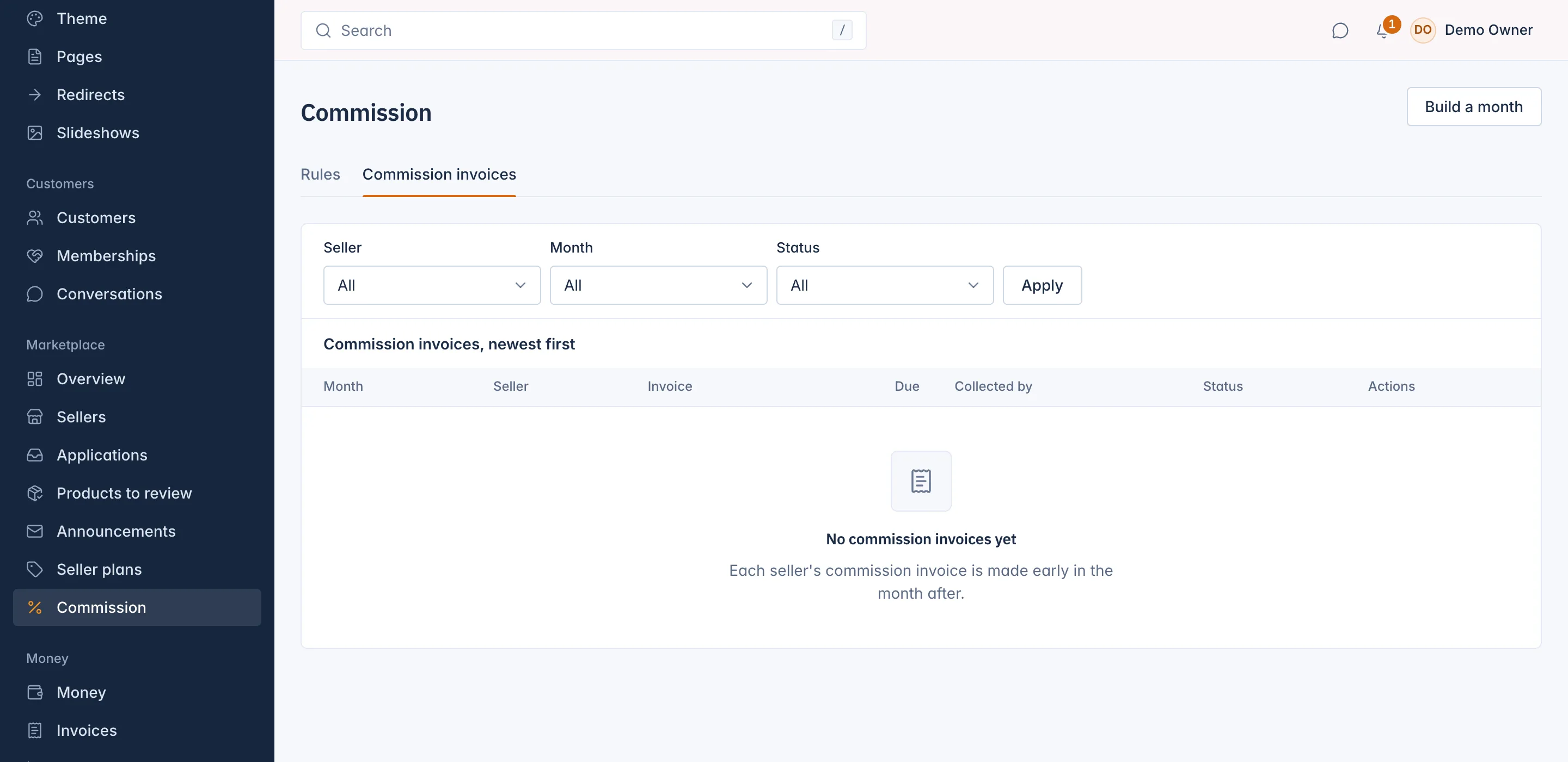
The seller's own page shows its commission invoices of the last 12 months on the Money tab.
Mark an invoice paid
When a seller's payment arrives:
- Find the invoice on the Commission invoices tab and press Mark paid.
- Choose how it was Paid by: Bank transfer, or Into the shop's payment provider account. The second needs a payment provider switched on.
- Set the Paid on date and the Payment reference from your bank.
- Press Mark paid.
Collecting commission stays in your hands: IXXO Cart does not charge the seller for it or send reminders.
Build a month
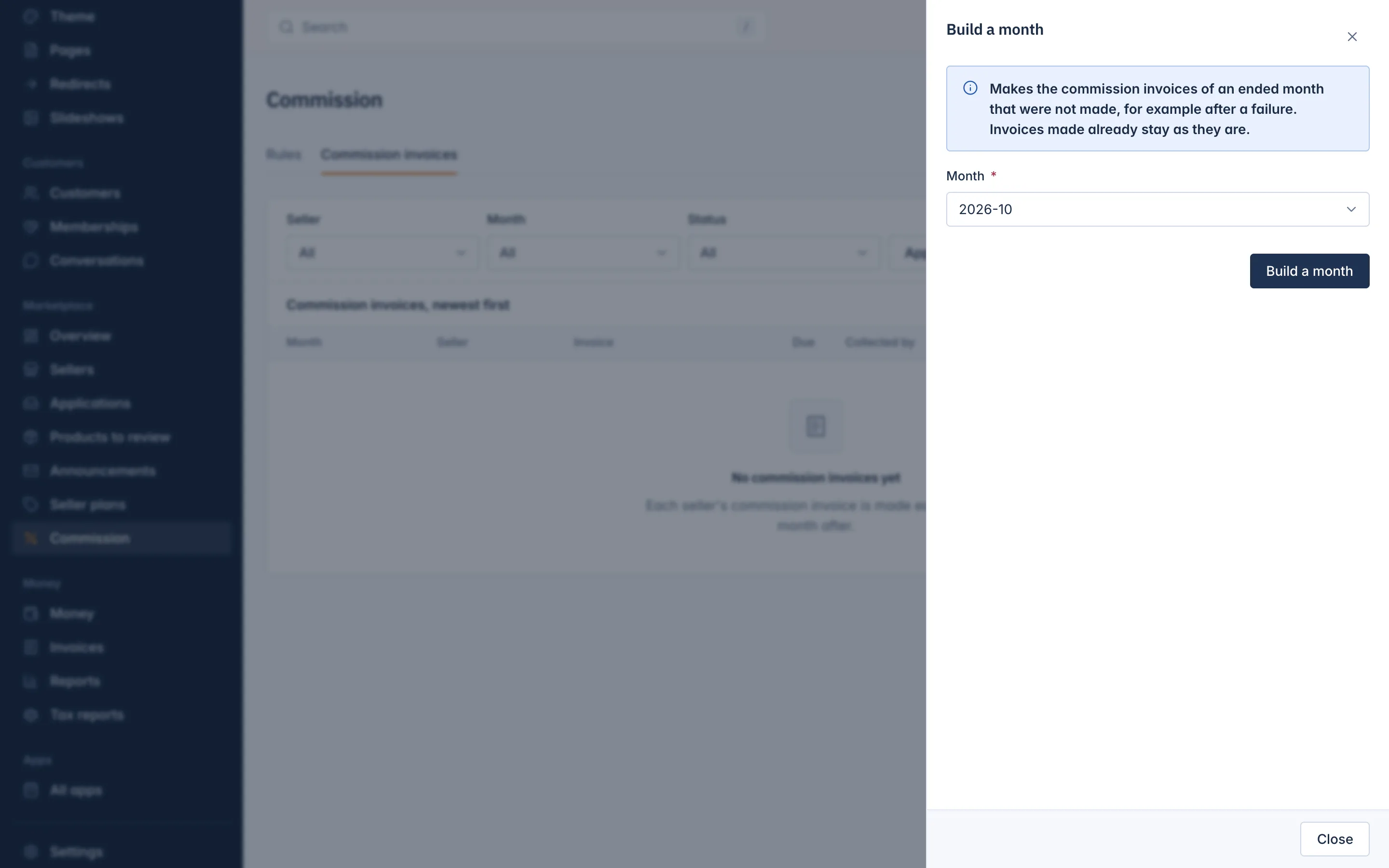
If a month's invoices were not made, for example after a failure, you can make them yourself.
- On the Commission invoices tab, press Build a month.
- Choose the Month. It must have ended.
- Press Build a month.
Only the missing invoices are made. Invoices made already stay as they are.
Related
Updated 13 November 2026