
Refund an order or cancel items
Give money back for units or shipping, cancel units before they ship, and how refunds work with Stripe, PayPal and bank transfer.
In the admin: SalesOrdersan order
On this page
After an order is paid you can give money back in two ways. Refund returns money for units the customer keeps or sent back, and for shipping. Change a paid order cancels units that have not shipped yet, puts their stock back and refunds them. This article explains both, the refund limit for staff, and what happens with each payment method.
For goods the customer sends back, use the return instead: it refunds what arrived and puts the stock back. See Handle returns and withdrawals.
Which one to use
| Situation | Use |
|---|---|
| You cannot send an item (out of stock, damaged in the warehouse, customer changed their mind before shipping) | Change a paid order |
| The item shipped, but you want to give money back (late delivery, a small fault the customer accepts) | Refund |
| You want to give back part or all of the shipping charge | Refund, shipping field |
| The customer sends goods back | The return, in Sales > Returns |
| The order is not paid yet | Cancel order (nothing to refund) |
Refund units or shipping
- Open the order and press Refund.
- For each product, type how many units to give money back for. Each line shows the most you can refund, for example "Silver ring, up to 2". Leave a line at 0 to keep it.
- To give back shipping, type the amount in the shipping field, for example "Shipping, up to €4.90".
- Type a Reason. It is kept on the order's timeline.
- Press Refund.
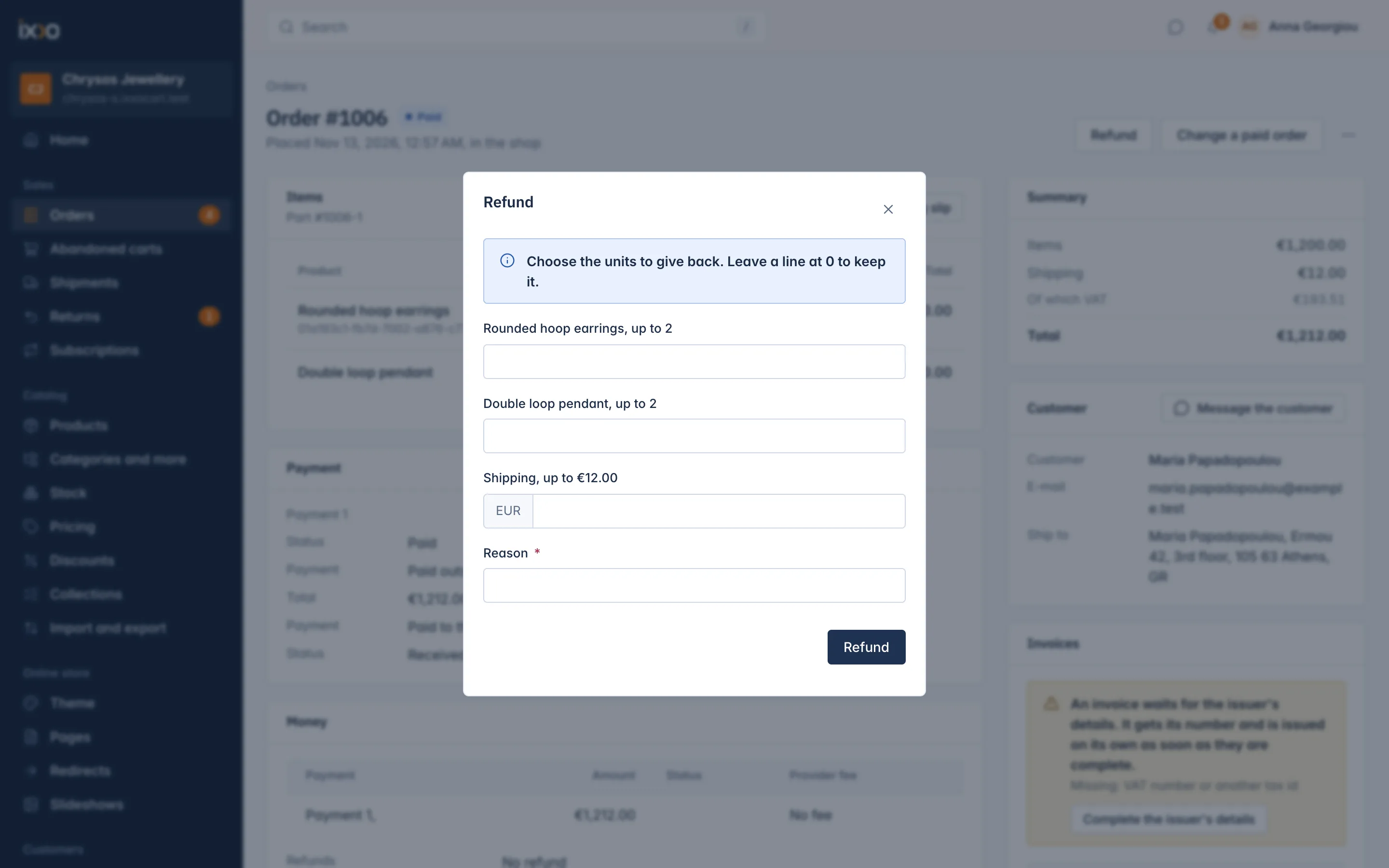
You see "Refund started." The amount for each unit is its share of what the customer paid for that line, after discounts. The order moves to Partly refunded, or Refunded once all the money is back, and the customer gets a refund e-mail.
Cancel units before they ship
- Open the order and press Change a paid order.
- The dialog Cancel units of a paid order lists each product with the units not shipped yet. Type how many to cancel.
- Type a Reason and press Cancel units.
You see "Units cancelled and refunded." The units are cancelled, their stock goes back to the location they were taken from, and their money is refunded the same way as a refund. The customer gets the refund e-mail.
Units that already left cannot be cancelled: "These units have shipped already. Refund them instead." Units on a carrier label you bought count as shipped until you void the label.
How the money goes back
The shop sends the refund the same way the customer paid.
| Paid with | What happens |
|---|---|
| Card (Stripe) | The shop asks Stripe to refund the card. The refund shows as Processing in the Money card and becomes Completed when Stripe confirms, usually within seconds. The customer sees the money on their card within a few days. |
| PayPal | The dialog warns: "Refund this in your PayPal account; this records it here." Send the refund in your PayPal account yourself; the shop only records it. |
| Bank transfer or Pay on pickup | Send the money back yourself from your bank or in cash. The shop records the refund as completed straight away. |
If the payment provider of the order is no longer connected, a card refund cannot be made: "The payment provider of this order is not connected, so it cannot refund."
If a card refund fails at Stripe, the timeline shows Refund failed and the money card shows the refund as Failed. Refund again. If the failed refund came from cancelled units, the order gets the flag Refund after cancel failed: the units stay cancelled and you only need to refund the money.
Invoices and credit notes
When a refund completes, a credit note is made for each issued invoice that carries a refunded line or shipping. You find it in the order's Invoices card, under its invoice. Credit notes are explained in the Money and tax section.
Refund limits for staff
Two permissions decide who may refund:
- Refund any amount: no limit. The shop's Owner has it.
- Refund up to the support refund limit: each refund may be at most the amount set in Settings > Staff under Refund limit for support staff. The limit counts per refund, in your main currency. At 0, which is the default, these staff cannot refund at all.
A refund above someone's limit is refused: "This is above the amount you may refund. Ask someone who may refund more." Change a paid order needs the refund permission as well as "Change orders after they were placed".
What you cannot change on a paid order
- You cannot add products or raise the price of a paid order. Create a second order instead.
- The Refund dialog gives back whole units and shipping. Giving back part of one line's price, or lowering the shipping to a new amount, is possible through the REST API (see Developers).
Related
Updated 13 November 2026